

3ds Max Track Importer for No Limits 2
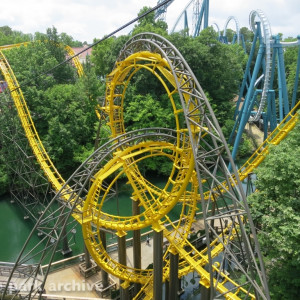
@ NolimitsProjects: That's looking very nice! Glad to see my tool being used!
@ Mcoodles: That's actually not as easy as you might think because all of the objects created by the script are stored in memory. That memory is lost if you close the script before finalizing the track. I'm sorry it crashed, but it's easiest to just generate the track again from the start.
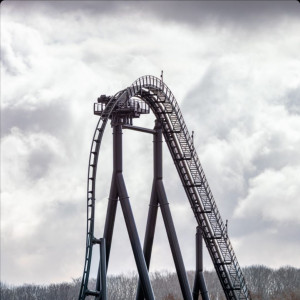
Wow, this plugin is really easy to use ( I just started working with 3ds max). What's the best way to have realistic/ nice looking support connectors connected to the track? I've been experimenting with the intamin pantheon track. Also. is there a easy way to make a double backbone track of it?
Since more people have been asking for double spined Intamins, I quickly put double spine versions of the MK2 and Mega Coaster track. You can download them here: https://www.dropbox.com/s/sz9vu53hi1xgkyh/Intamin double spine.zip?dl=0
But PvM, what about Schiff wild mouse track?
Thank you. Also, what's the best way to make realistic support connectors for those custom tracks?
zacharynolimits1999 posted on October 11th, 2021
But PvM, what about Schiff wild mouse track?
I had to rewrite the script a bit to make it work, but here it is:

https://www.dropbox.com/s/fpxsmzyfyudbcnr/no limits spline translator V1.5b.zip?dl=0
This will be a temporary release. I've done more track styles in the meanwhile including S&S Thrust air and Schwarzkopf Olympia Looping. I'll release those in a new version eventually.
@ JustAlex: I've modelled connectors for my Vekoma Coasters. I use the align tool to align them to the backbone-splines of an unfinalized version of my track. You have to make sure to correctly position the pivot point though:

PvM posted on October 11th, 2021
I had to rewrite the script a bit to make it work, but here it is:
Thanks.
Can anyone transform from My Schiff Wild Mouse with Schwarzkopf track on NoLimits to My Schiff Wild Mouse with 3D Schiff mouse track for me please? Here's a link: https://steamcommunity.com/sharedfiles/filedetails/?id=2169432483. But first you have to ask me to use this.
I just wish that there can be a way to use this with blender. Then you do not have to get the free trial of 3ds max and use your credit card info,
Jetcoasterfan posted on October 14th, 2021
I just wish that there can be a way to use this with blender. Then you do not have to get the free trial of 3ds max and use your credit card info,
Me too.
If you download the free trial and choose the business option you can download the free trial with no credit card info.

Hi, first of all I very much appreciate the amount work you put into this mind blowing script for free. On my quest to utilize it, I stumbled over quite a few stepping stones, which I was able to fix on my own until now. umm.... help

I got the .csv from a converter as I don't own the pro version. but the spline looks fine I think, it's just that the ties get funky at some places. But I don't know how a correct .csv file is supposed to look so here it is: https://www.mediafire.com/file/omsnulbmrr0j778/Spliney.csv/file
Hey, I checked through your csv file and it's definitely the culprit. Each row of numbers should be more or less incremental to create smooth transitions. But you got some weird jolts in there. If you want, send me your coaster file and I can generate a proper csv file for you.
Cheers mate. I've DMed you the file
Hello, I would like to know if the splines file format is compatible with the 3d application Blender because I can't buy 3ds Max ?
Hi, unfortunately they're not compatible. However it is possible to use an online converter to convert the .max file into something Blender can read. Like a .obj file. Downside to this is that you lose all spline-based objects (i.e. rail and backbone).
Yes it is absolutelly compatible.
You just need an addon for blender to import csv files, you can get it here: https://github.com/maisvendoo/blenderCSV
The spline in blender does also contain the rotation information and you can easily use the curve modifier on an object, for example to check for clearence of your objects.
Could you add Pinfari/Interpark tracks please?
Thank you very much you two

Thanks for the link to the Blender addon
How to recolor the rails file? When I open it is white
You don't have to. Follow the instructions in the readme to color track in the NoLimits editor
Is there any possibility to do a coaster track without a backbone that also features a track to support connector?
yes of course. You can create a track style that doesn't have a backbone. As for the track connectors. I always create those just like regular ties from the plugin and then use the align tool to align them to existing ties on the track.
I am having a problem with the script. I loaded my CSV and quite a few changes to the ties and spine, nothing major and or script destroying. I saved the project and Finalized it but it crashed, I reopen the scene, and it turns out I cant finalize it anymore. It says that there is nothing generated, so I am wondering if there is a way to make it so that it detects the pre-generated track so that I can refinalize it?