

3ds Max Track Importer for No Limits 2
i successfully imported S&S sit down track and it gave me the options to select the color, there were 8 and i chose different colors and for some reason the track didnt change color. the rails are white and the spline and crossties are bright aqua. i need it to be black
PvM posted on December 30th, 2017
Hey everyone,
I created this little plugin for 3ds Max that lets you import spline data from No Limits 2 and create your own custom track profile. It can be used to create custom track looks or to create a clearance envelope for your tracks. I added a couple of predefined track styles but you can create your own if you want.
What can it do?
- Import detailed model from your track
- Add mapping coordinates for striped rails etc.
- Add your own track style
Currently not supported:
- Tracks with diagonal cross ties
I also currently haven't included any clearance envelopes but they can be created using the small instruction included in the readme.
Included tracks:
B&M:
B&M Invert:
Arrow Style Corkscrew:
Intamin Mega Coaster:
Intamin Pantheon Track (MK2)
Meisho:
Morgan Classic:
Morgan Steel Dragon:
Premier:
RMC Raptor:
S&S:
Senyo Kogyo Dive Coaster:
TOGO:
TOGO Ultra Twister:
Vekoma Junior Boomerang:
Vekoma MK1101:
Vekoma MK1101 Invert:
Vekoma Suspended Thrill Coaster:
update log:
1.1:
- added connector ties
- added the ability to connect the start and end of the track
- fixed the scaling issue caused by different world units in 3ds Max
1.2:
- fixed importing crash with very small numbers
- combined the 2 versions of the script into one that works regardless of unit setup
1.3:
- added connectors between ties
- added 5 more track styles including Intamin Mega Coaster, Premier plate and beam style, RMC Raptor and S&S track
1.4:
- fixed the flipped normals issue
- improved the UVW-mapping option
- track now comes with textures
- track is recolorable within the NoLimits editor
- added 2 track styles: Vekoma Junior Boomerang and Meisho
1.5:
- hopefully fixed the UVW-mapping problems
- added the option to generate mapping coordinates for track styles with the rails on the inside of the ties.
- added 3 track styles: Senyo Kogyo, Vekoma STC and special thanks go to Tyrush for providing an accurate model for the Intamin MK2
- Updated all the templates to 3ds Max 2021
You can download the plugin here:
Download 3ds Max Track Importer 1.5 for 3ds Max 2021 and up
Download 3ds Max Track Importer 1.4
Older versions have been removed
Tutorials:
Please let me know what you think of it. Any suggestions, track files etc are welcome to make this plugin even better.


https://gyazo.com/fd5b1a65ca3c6dc17527b346713f3f4f Track still look black even though I already have selected the "flip normals" box on the surface while selecting my spine :( Any help? Thank yoU!

@ Coaster Zealot
Here is your visible image :

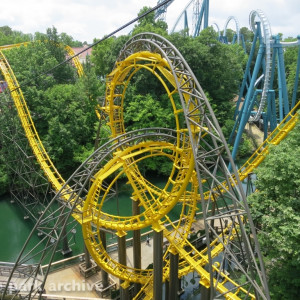
@Coaster Zealot: judging from that image, the 'normal' modifier is overriding the 'surface' modifier. Try changing the setting there.
Can make RMC T-Rex track? I tried scaling the Raptor track to make it larger for T-Rex and when i use it for my coasters it is the same size as the raptor track. i saved it as T-Rex track
Hey @PvM -
At the risk of this tuning into a 3DS Max support thread...
I'm trying to rig up a train to run on the track generated by the script. The issue I'm having is that the banking gets all screwed up when I hook up a Path Constraint to the "Trackspline" spline that gets generated when the script is run.
Is there any way to translate the rotation / up vector information from the CSV using the script into actual rotation information for a dummy or bone chain that would ride along the Trackspline?
I've tried extracting the outer edge loops of each rail (using Create Shape from Selection), then hooking up two path constraints to a dummy object in the center, but the banking is still wrong (it likes to flip). Doing a separate run of the "heartline" spline, wiring the path percentage of another dummy object, and then doing a LookAt constraint doesn't work either, as the two paths are technically different lengths.
Obviously I could do the banking manually but I'm looking for a way to use the existing information generated from NoLimits, if possible.
Thanks!
Hey, I' haven't tried this before but I think you're looking in the right direction. I'd try creating a bone structure and link that to your rail and backbone spline. You should be able to constrain the individual bone pieces to get the movement you need.
PvM posted on December 30th, 2017
Hey everyone,
I created this little plugin for 3ds Max that lets you import spline data from No Limits 2 and create your own custom track profile. It can be used to create custom track looks or to create a clearance envelope for your tracks. I added a couple of predefined track styles but you can create your own if you want.
What can it do?
- Import detailed model from your track
- Add mapping coordinates for striped rails etc.
- Add your own track style
Currently not supported:
- Tracks with diagonal cross ties
I also currently haven't included any clearance envelopes but they can be created using the small instruction included in the readme.
Included tracks:
B&M:
B&M Invert:
Arrow Style Corkscrew:
Intamin Mega Coaster:
Intamin Pantheon Track (MK2)
Meisho:
Morgan Classic:
Morgan Steel Dragon:
Premier:
RMC Raptor:
S&S:
Senyo Kogyo Dive Coaster:
TOGO:
TOGO Ultra Twister:
Vekoma Junior Boomerang:
Vekoma MK1101:
Vekoma MK1101 Invert:
Vekoma Suspended Thrill Coaster:
update log:
1.1:
- added connector ties
- added the ability to connect the start and end of the track
- fixed the scaling issue caused by different world units in 3ds Max
1.2:
- fixed importing crash with very small numbers
- combined the 2 versions of the script into one that works regardless of unit setup
1.3:
- added connectors between ties
- added 5 more track styles including Intamin Mega Coaster, Premier plate and beam style, RMC Raptor and S&S track
1.4:
- fixed the flipped normals issue
- improved the UVW-mapping option
- track now comes with textures
- track is recolorable within the NoLimits editor
- added 2 track styles: Vekoma Junior Boomerang and Meisho
1.5:
- hopefully fixed the UVW-mapping problems
- added the option to generate mapping coordinates for track styles with the rails on the inside of the ties.
- added 3 track styles: Senyo Kogyo, Vekoma STC and special thanks go to Tyrush for providing an accurate model for the Intamin MK2
- Updated all the templates to 3ds Max 2021
You can download the plugin here:
Download 3ds Max Track Importer 1.5 for 3ds Max 2021 and up
Download 3ds Max Track Importer 1.4
Older versions have been removed
Tutorials:
Please let me know what you think of it. Any suggestions, track files etc are welcome to make this plugin even better.
Would it be great if you could export them to us so that we can use them in Blender?
Thanks.
I want to have this to use with blender since that program is free.

^^Same here, but was there any particular reason for quoting the entire post?

This plugin is great, but I'm having some trouble making a double spine for the intamin track. I know it's possible, but everything I've tried so far hasn't worked. Can Anyone help me out?
Never mind, I figured it out.
Hi I have a question, did you include a double tube option for the Intamin as otherwise it is not very realistic ? Thanks
Tyrush posted on July 22nd, 2020
Got around to figuring out how this works and it is truly a powerful addition to Nolimits. I messed around and was able to make different spines for the mega coaster track style. Here is an example of what you can do with the presets available. It did not take much time to fiddle around and make this double spine track based on the presets.
And here you can see all 3 types of track and how nice the transitions look


with 3ds mas because I don't know if you can use blender ?
Alexlecoasterfan posted on May 17th, 2021
Hi I have a question, did you include a double tube option for the Intamin as otherwise it is not very realistic ? Thanks
Hi, the double tube is currently not included. I have a tutorial in the readme and in the first post of this thread that explain how to create your own track styles. You can use those to modify the current Intamin tracks.
Thank you very much
please can you generate your files for blender use? 3DS MAX is much more complicated to learn, it is also payable (+2000 $ / €). There is no trial period either, you must have proof to have the trial. The majority see the entire community No limits2 and on Blender.
I using Google Sketchup Pro version 2014 now for more then 6 years , works perfectly with 3DS
Worldkermis posted on May 24th, 2021
please can you generate your files for blender use? 3DS MAX is much more complicated to learn, it is also payable (+2000 $ / €). There is no trial period either, you must have proof to have the trial. The majority see the entire community No limits2 and on Blender.
Hi, I'm not sure if the files will be usable with blender. I could convert them to .obj but you'll only get the ties because spline data isn't saved I think. Is there a specific track style you're looking for? I'm not going to convert all of them but one I could do.
I agree on having this useable in blender. I really want to make togo tracks but I do not want to put in credit card info just for the trial version. Why is there even a trial version anyway?
I just wanted to give PvM a public shoutout in that this tool has been excellent for my personal work. I use it mainly to generate coasters out of NoLimits for use in larger 3D scenes in stuff like V-Ray and Unreal Engine. I work professionally in the theme park business and I'm dying for an opportunity to use this in a work-work viz project, one just hasn't come up yet.
Here's a sample of what I do with it, a Vekoma STC that I also use a modified version of Serming's STC trains for. Modified track generation, extra clearance envelope.
https://drive.google.com/file/d/1xTXaHH2mqZZ-nQcd8xYjhGDA-P1aw9o6/view?usp=sharing
PvM, I looked at the first post of the thread...Have you ever figured out diagonal cross ties? I know a manual method would be to sweep out a simple triangular or quad cross-section using the Importer script and then just draw the edges yourself as splines with snaps and then Sweep modifier, you think there would be any way to automate that? Is it possible for the script to recognize which vertices are diagonal from each other?
Just wanted to make sure you know that there's at least one other Max user actively using this script!
Hey, glad to hear you like the tool and that you're putting it to good use! I'm also working on my own STC at the moment. I also use the tool to create shapes for catwalks, railings etc.:

Your question made me think. I never really looked into creating diagonal ties as most track styles that have them are already in the sim. But I quickly generated cross ties by extruding a triangular section as you mentioned. Then converted it to an editable Poly and then add an 'edit patch' and 'lattice' modifier:

It's quite quick and dirty.
Another method I was thinking of: The script does generate a spline that can be used for all kinds of stuff (the trackspline). I could use this piece of the script and have it offset each vertex that is created. Then simply add a sweep modifier. Only downside to this is that the sweep will always be aligned to the world-coordinates, so basically only round crosstie sections will work this way.
Hey, what about Schiff Wild Mouse coaster tracks?
My custom track for De vliegende Hollander from the Efteling is ready :)


Its a kumbak coaster style the track is much thicker than normal styles
thanks. i got it.