

3ds Max Track Importer for No Limits 2
Any luck?
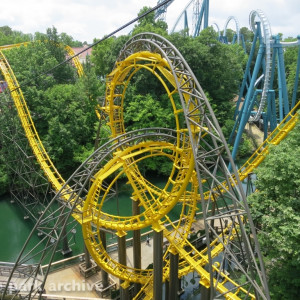
Can you do Arrow Mine Train track looked like this?:


I don't have the money for 3DS max. can it work with a non-full version of the software? Or maybe get the trial and it will stay when the trial ends
You have to put in your credit card info to use the trial.
PvM posted on December 1st, 2020
Any luck?
no actually, I've still been trying to play around with it but I haven't been able to get anywhere...

U can use Google Sketchup Pro (any year) that will do export to *.3ds
ImNotFuNny.PNG posted on December 10th, 2020
I don't have the money for 3DS max. can it work with a non-full version of the software? Or maybe get the trial and it will stay when the trial ends
Yes, you can use the plugin with the trial and you won't need a credit card as Jetcoasterfan suggests.
Dechlave posted on December 11th, 2020
no actually, I've still been trying to play around with it but I haven't been able to get anywhere...
Would you be able to send me your .csv file in a pm? I tried recreating the problem by changing my system's decimal notations and switching between the metric and imperial system, but with no luck. (this used to be the problem in previous versions).
PvM posted on December 30th, 2017
Hey everyone,
I created this little plugin for 3ds Max that lets you import spline data from No Limits 2 and create your own custom track profile. It can be used to create custom track looks or to create a clearance envelope for your tracks. I added a couple of predefined track styles but you can create your own if you want.
What can it do?
- Import detailed model from your track
- Add mapping coordinates for striped rails etc.
- Add your own track style
Currently not supported:
- Tracks with diagonal cross ties
I also currently haven't included any clearance envelopes but they can be created using the small instruction included in the readme.
Included tracks:
B&M:
B&M Invert:
Arrow Style Corkscrew:
Intamin Mega Coaster:
Intamin Pantheon Track (MK2)
Meisho:
Morgan Classic:
Morgan Steel Dragon:
Premier:
RMC Raptor:
S&S:
Senyo Kogyo Dive Coaster:
TOGO:
TOGO Ultra Twister:
Vekoma Junior Boomerang:
Vekoma MK1101:
Vekoma MK1101 Invert:
Vekoma Suspended Thrill Coaster:
update log:
1.1:
- added connector ties
- added the ability to connect the start and end of the track
- fixed the scaling issue caused by different world units in 3ds Max
1.2:
- fixed importing crash with very small numbers
- combined the 2 versions of the script into one that works regardless of unit setup
1.3:
- added connectors between ties
- added 5 more track styles including Intamin Mega Coaster, Premier plate and beam style, RMC Raptor and S&S track
1.4:
- fixed the flipped normals issue
- improved the UVW-mapping option
- track now comes with textures
- track is recolorable within the NoLimits editor
- added 2 track styles: Vekoma Junior Boomerang and Meisho
1.5:
- hopefully fixed the UVW-mapping problems
- added the option to generate mapping coordinates for track styles with the rails on the inside of the ties.
- added 3 track styles: Senyo Kogyo, Vekoma STC and special thanks go to Tyrush for providing an accurate model for the Intamin MK2
- Updated all the templates to 3ds Max 2021
You can download the plugin here:
Download 3ds Max Track Importer 1.5 for 3ds Max 2021 and up
Download 3ds Max Track Importer 1.4
Older versions have been removed
Tutorials:
Please let me know what you think of it. Any suggestions, track files etc are welcome to make this plugin even better.


Can you look at my requests like: Schiff mouse track and Arrow Mine Train track?
I may do a track pack during the Christmas vacation. I don't have time right now and I strongly suggest you try yourself first.
Is it possible you could add a progress bar for Finalize Coaster? The process takes a really long time and a progress bar might put users' mind at ease.
Hey can you add a track for double spine intamin please
PvM posted on December 30th, 2017
Hey everyone,
I created this little plugin for 3ds Max that lets you import spline data from No Limits 2 and create your own custom track profile. It can be used to create custom track looks or to create a clearance envelope for your tracks. I added a couple of predefined track styles but you can create your own if you want.
What can it do?
- Import detailed model from your track
- Add mapping coordinates for striped rails etc.
- Add your own track style
Currently not supported:
- Tracks with diagonal cross ties
I also currently haven't included any clearance envelopes but they can be created using the small instruction included in the readme.
Included tracks:
B&M:
B&M Invert:
Arrow Style Corkscrew:
Intamin Mega Coaster:
Intamin Pantheon Track (MK2)
Meisho:
Morgan Classic:
Morgan Steel Dragon:
Premier:
RMC Raptor:
S&S:
Senyo Kogyo Dive Coaster:
TOGO:
TOGO Ultra Twister:
Vekoma Junior Boomerang:
Vekoma MK1101:
Vekoma MK1101 Invert:
Vekoma Suspended Thrill Coaster:
update log:
1.1:
- added connector ties
- added the ability to connect the start and end of the track
- fixed the scaling issue caused by different world units in 3ds Max
1.2:
- fixed importing crash with very small numbers
- combined the 2 versions of the script into one that works regardless of unit setup
1.3:
- added connectors between ties
- added 5 more track styles including Intamin Mega Coaster, Premier plate and beam style, RMC Raptor and S&S track
1.4:
- fixed the flipped normals issue
- improved the UVW-mapping option
- track now comes with textures
- track is recolorable within the NoLimits editor
- added 2 track styles: Vekoma Junior Boomerang and Meisho
1.5:
- hopefully fixed the UVW-mapping problems
- added the option to generate mapping coordinates for track styles with the rails on the inside of the ties.
- added 3 track styles: Senyo Kogyo, Vekoma STC and special thanks go to Tyrush for providing an accurate model for the Intamin MK2
- Updated all the templates to 3ds Max 2021
You can download the plugin here:
Download 3ds Max Track Importer 1.5 for 3ds Max 2021 and up
Download 3ds Max Track Importer 1.4
Older versions have been removed
Tutorials:
Please let me know what you think of it. Any suggestions, track files etc are welcome to make this plugin even better.
Can you add ajustable double spine for intamins mega and mk2 please
Here's what Schiff Wild Mouse looked like in 3D: https://www.deviantart.com/coasterfreak/art/Solidworks-Ben-Schiff-Wild-Mouse-Coaster-Track-759010494
Hey! Uhh... could you maybe add an external Ride View on the front Mount of the Train?
Can you do RMC Hybrid and Hybrid launch track please
EDIT: Also, how are you able to get the track dimensions into 3ds max?!
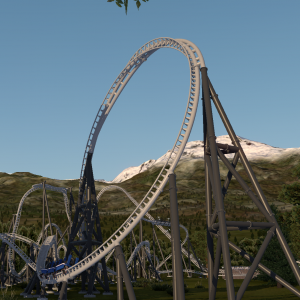
they're both already in the game, if you want LRod style launch track then use a lift section and change it to booster wheels, it uses LSMs instead of wheels
@kristalic ik
captainlunar3 posted on February 17th, 2021
Can you do RMC Hybrid and Hybrid launch track please
EDIT: Also, how are you able to get the track dimensions into 3ds max?!
Hey, I got the dimensions by aligning support beams to the track and a little trial and error to get the dimensions right.
Next to that, I want to clarify that I do don't do requests, especially for one off projects. I am however willing to help if you get stuck trying to make a track style yourself.
Hi guys, I'd like to know if someone could help me create track from Python at Efteling (talking about the new track they added in 2018)
how do i change the color?
Did you follow the instructions in the readme? Copy the track folder included in the zip to your park. Then export as a .dae file and overwrite the track.dae file in the track folder. I set everything up so you can color the track in the No Limits Editor.
i made Phantoms Revenge at my home park Kennywood and the lift hill and station still use the arrow track from when it was Steel Phantom is there a way to make it so the morgan track starts after the lift hill and ends at the brake run
Yes, that's possible but if you're new to 3ds max, it can be a bit tricky. Generate one of the track styles and convert the backbone to an editable poly. Go to polygon edit mode and delete the part of the backbone you don't want. Then delete all the ties you don't want. Then generate the track again for the other style. Delete the newly generated left and right rail and repeat the steps for the backbone and ties.
I think I might have figured out the 2021 download for 3ds Max... once it's finished I'm going to try to download the 1.5 version and go from there.