

Daniel's NL2 Stuff - NEW: Convert Images to Objects!

Animating objects in NL2 has probably never been easier:
That was just a quick idea. Is anyone interested? How about the same with track triggers for example?
It is amazing! I don't have any skills at scripting and so it would help alot! :D

Ow god, yes yes yes! Please make it with tracktiggers :O

Yes yes yes yes yes yes yes yes yes yes
(Also what zingo said about track triggers please)

Looks great! Very useful stuff. What about some more complex items such as rotations with configurable acceleration, deceleration, max speed, and duration along with specifying an custom axis angle? A simple toolkit with these controls would make most spinning flat rides a breeze. A ride like Tango really doesn't need much fancy stuff.
More complex would be pendular motions and anything that needs to react to gravity, but that would be cool too.
-Ride_Op
Yes, I'm very interested! Are you going to put it for download?

Oh my this would be a blessing for me - I have no scripting skills at all so this would be amazing.
Thanks for the responses so far!
@Ride_op
While this is basically a great idea and I'm using something similar personally already, I guess this is out of scope for simple object controlled animations and I think with this level of complexity using text in actual script code with a simplification framework or with another level of abstraction by configuration files would be much better suited for this.
I have now a first implementation of track trigger usage, there's a dedicated setup scene object for "action triggered" and "track triggered" setups. Their usage stayed the same, the track triggered object just requires that there's also a coaster that uses a track trigger with the same name:
A track trigger setup:

The track trigger setup in action:

Any further suggestions so far?
And I need some more input from you!
Since it is easily possible to implement many other conditions that trigger these animations, where virtually any parameter NL2 can provide to scripts through the scripting API could serve, I think there would arise about the same problem as with Ride_op's suggestion rather quickly if too many possibilities would be implemented with different setup SCOs.
So I think it would be the best if tell me what you think would be useful.
To give you some examples what parameters would be possible with varying level of usefulness: Occupation status of a special named block; status of some devices like brakes on a special named section; rain, cloud, fog level and other weather parameters; day of time, sun elevation; a special track is moved to a certain position;
Greetings,
Daniel
This looks super cool. As far as suggestions you already have the reverse animation delay, but could you implement an instant reset option? Like boulder falls then instantly resets without falling up.
^ Thanks for this suggestion!
Instead of controlling the movement speed one now sets a duration value which can also be set to 0, it's also possible now to set the duration for moving forward and backward independently!
I think it's time for designing better object symbols now instead of having the instruction printed on them.
PS: I also added a station triggered version, this means the animation will start when a train enters a station, I'm not sure if I should keep it this way though.

what about a physics based animation? like how to make an animation of like falling rocks or something similar
I did not thought about that yet, would not be hard to do but in the end this would already mean the doubled amount of control objects since the basic concept would be very different from the current one, so this would require to have another set of (currently) all 4 trigger objects to start these kind of animations. I guess one should rather try to do achieve the same effect with what is possible instead of having a lot of different trigger conditions and animation types.
I also thought about splitting all this, so one would have having a set of "trigger condition" objects and a set of "action" objects. But this would require more setup time and would hardly deserve the name addition "instant". I'm also afraid the majority could still struggle with how to use the existing objects already. I'm still experimenting with how to explain the current usage properly.
Will scripted funfair rides be easier to make and Japaneses ferris wheels?
Ride_Op posted on May 6th, 2018
More complex would be pendular motions and anything that needs to react to gravity, but that would be cool too.
Wonder if that could be instrumental in making a Zipper ride.
I think it could be cool, and fairly easy, to have multiple animation "keyframes" for your animated objects.
So it'd be like, for naming purposes something like "Animation 1 (1)" and "Animation 1 (2)" And what it would do is move to two different positions, in order, using the relative position of the last keyframe. It would surely open up the opportunity for more animating capabilities. At the end it would move back to the original position.
The animations should be triggered by track triggers as you said, it would be fantastic for doors etc. :)
I really like the idea with multiple animation points and I thought a while about this:
Just adding more points without some behind the scenes changes would look awful since the object would come to a full stop at each additional point, to overcome this I would probably do it about how blender for example does this by automatically generating automatic splines behind the scenes that nobody would see or be able to modify unlike in blender, except for the location of the anchor points through the dummy objects.

On the abscissa is the time and the location on the ordinate, blender automatically adds a smoothed curve, I think I would try to avoid the wobble at the inflection point in my implementation though.
But now comes a big break: Actually NL2 has a very well working spline system already implemented, but there's no access to spline tools in the Scripting API or something similar, I would have to implement this on my own or check out if geforcefan's spline system in his NoLimits Framework library for scripts would fulfill the demands.
Thinking about this brought me to the idea that for these kinds of animations it could be better to have another set of animations that use the NL2 track splines with dummy coasters. Since there are Scripting API methods for moving scene objects on the NL2 splines, I think this would be on one hand more efficient than reinventing the wheel on that side and I think having a good visual representation inside the Editor for this would be much better suited anyway.

Here you can see how this setup could look like in the Editor.
There are still some details that have to be solved, I guess a control object like for the instant animations would be necessary again, with that you could also overlay a two point rotation on the object as with the instant animations.
All this would of course be triggerable with the same conditions as the instant animations.
What are your thoughts about this?
Wow, this is really amazing dani ! I've never thought about using the spline but it's a fantastic idea :) (sorry for re-asking but could we trigger these with Track Triggers ^^)
Yes, I demonstrated trigger usage in a previous post already.
Another update:
Track Spline based animations are implemented now!

A rolling stones example! (yes, I also turned on the music now)
You just have to add a dummy coaster with the same name as your animated objects and the control objects that is close to the animated object. It will then pick up the coaster track and base every position movement on sliding down that track and yes, you can overlay all animations as before, even a position offset!

The setup in the Editor.
Daniel this is absolutely insane, this is great help for people who dont have any knowledge with keyframing stuff. Thank you so much
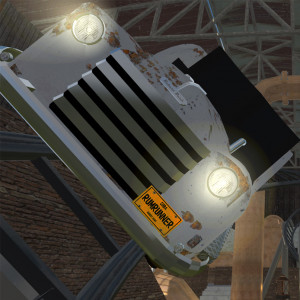
Awesome work man! This will help many users with building themed rides.
I have now finished the final package for now and added some instructions directly in it, I also sent it to some testers now, you can expect a release at Sunday, if I don't get any serious problem report from the first testers until then.
In the meanwhile here's the final usage instruction, I'd like to know if you spot something that seems unclear until then:

(and I'm also very good at overlooking possible typos ;-))
Can you keyframe any sketchup object from the warehouse?
In this thread I will share some tools for usage with NL2.
NL2 Terrain Export:
This tool package allows you to export your NL2 terrain for usage with other software, it is exported by a NL2 script to the program's output log text file, and then imported to the completely free 3d software suite blender from which you might copy / export it for usage in other blender projects or other software suites.
You don't need any knowledge about how to use blender for this!
You maybe also just want to use the portable .zip file download of blender if you don't want to install it.
After you extracted the package you will find a short 6 picture tutorial inside how to use it.
I finally found a need to update the import script, it also creates faces now instead of just points, I also updated it, so that the ground scale is not just arbitrary units, but correctly set to meters, that match the nl2 terrain.
(note the final tutorial picture shows the result of the previous version that was not able to generate faces)
You can check that the import was successful by exporting it as Collada (.dae) and using that directly in your park (note: exporting and importing may take some seconds), when the position is set to 0, 0, 0 the object should perfectly match the nl2 terrain (within the limits of usual computational imprecisions):
>>> Download (original for blender 2.79) <<<
>>> Download (latest release from github) <<<
(I will add some stuff I shared on the NLE forums in the future).