

NL2 Ask Thread
I recall seeing revamped floorless textures hovering about somewhere but I can't for the life of me seem to find them. Any ideas where they may be?

Does someone have a clear picture of B&M floorless storage? I want to make a storage track for the floorless train. Thanks in advance!

@ Sasquatch787
Maybe this does help ?

Insane Speed @ Janfusun Fancyworld
Here a very large image :
https://upload.wikimedia.org/wikipedia/commons/9/94/Insane_Speed_3.jpg
UPDATE : He found a good image

This question probably has an obvious answer, but is there an easier way to create turns that are not 90°/180° than using the rotate function? See below:

I used the 2D side and Top/Bottom views to make this ride layout, but since they are all at 90° angles, I don't know how to easily create turns at 70°, 60° etc. angles. Does anyone know a simple way to do this? Thanks!
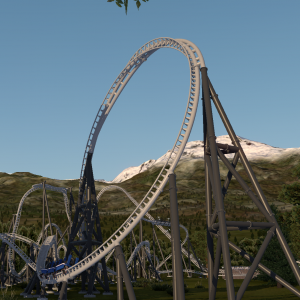
use the protractor tool, you can download it in the handbuilding bible thread
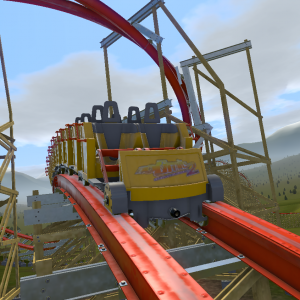
OORR... if you want to be exact with a tiny bit of math, you can go here (actually it was the first thing I put on the forum): https://nolimitscentral.com/forum/topic/460
In the thread, scroll down a little for a visualization from bestdani
(idk your math skills, but if you need help with the trig to make both legs equal length, you can tell me and I could help)
Thanks for the resource. I'm sorry, I didn't make my question clear. What I meant to ask was, is there an easier way to create sections of track that are not at 90° or 180° without using the rotate function in the editor? Here's an example:

This coaster from Wilderness Park has sections of track that are mostly straight from the top view (such as on the far right), but they don't correspond to the X, Y, or Z axes (they are not at 90°/180° angles).
Ohhhh, I see. There isn't a perfect way to do this (that I know of), but in my last coaster, I would first do the general planning out of the straight (from top) section, and then click "straight from top 2D" or whatever it is. Then I'd adjust it in perspective from the side, and then click straight from top again to correct the vertices being slightly out of line. Then insert more verticies, adjust them, click straight from top. And finally add all the smoothing verticies, depump, and 2D from top one last time. I actually found it a little more simple to just do perspective and click the button without having to rotate the entire coaster to be in line with the straight section.
oh, and that's also generally how I handbuild XD
Hi guys, I would like to know which version of NoLimits2 is compatible with VR headsets? And also, what headset is compatible with NoLimits2?

Should be compatible with any of the main consumer headsets currently out (Oculus, Valve Index, WMR). I have an HP Reverb G2 which I've used with NL2, tho IDK how to change the FOV, as it seems to be locked in place when I try it in VR (it looks kinda narrow).
Soko posted on August 19th, 2021
Should be compatible with any of the main consumer headsets currently out (Oculus, Valve Index, WMR). I have an HP Reverb G2 which I've used with NL2, tho IDK how to change the FOV, as it seems to be locked in place when I try it in VR (it looks kinda narrow).
Ok, thank you for your answer. Also, is the normal NL2 professional version working with VR or it must be a particular version of NL2?
AFAIK it should work on either standard or pro.
Soko posted on August 19th, 2021
AFAIK it should work on either standard or pro.
Thanks alot for the answers!
I wonder what an appropriate amount of acceleration G's would be for an Intamin LSM launch versus a hydraulic launch.
I've heard that Top Thrill Dragster is around 2G. Not sure about LSMS, but I would expect maybe around 1.5G or so.
I cawlcwlutated it and it's about 1.35gs (53m/s / 4s = 13.3 m/s/s = 1.35gs), for random reference do-dodonpa is about 3.2gs
edit: also maxx force is about 1.8gs

Every time I make a stall, the laterals are very high, at least for such a maneuver. Does anyone know how to decrease the force? Thanks for your replies
To lead up to it, you should make it twist into the stall a bit later, so you'd want to move the roll on the right more to the left. Also allow the lead up and exit out of the stall to curve a little bit towards you.
On a little bit of a side note, to get rid of laterals on a particular vertex (or series of vertices), go to the next vertex and move it until the target vertex has no laterals (and the wanted vertical forces). Then because the next vertex has some laterals, adjust the one after it until it has no laterals, then go to the next one, and the next, etc. Then if happy iwht it, you can go ahead and de-pump all those vertices. However, if it isn't what you want (like a turn curves up more than you'd like), then you probably should adjust the roll vertices. For example, if a turn curves up too much, then you should probably increase the angles of the rolls, and then adjust the vertices like above.
So to applying this to the above picture, you'd first move the roll vertex more to the left. Then you'd adjust the vertex after the first one to the left with laterals so that it no longer has any laterals (probably zero-g). Then go to the next one, and the next, and at about maybe 90 degrees, start to add a good bit of vertical force (the catch). This will of course alter the course of the track a little bit, but there really isn't much of a way to fix that (unless maybe you move the roll vertex a lot, but then I'd worry how much whip there would be. However if the stall is pretty long, then you could simply just make it shorter.)
One final little thing: if you look at the vertices, you can see that they curve up. This means that there is going to be at least 1g of vertical force, and if the track is sideways while doing that, then that would mean there would at least 1g of lateral force. This shows up in the picture, and as you said is way too much. So, whenever you go up into a stall or zero-g roll, as soon as you start to twist into it, the vertices should always start to curve downwards. Then, as soon as it reaches 90 degrees, it should be in complete zero-g (if going for a zero-g stall or roll with the most possible float). If struggling to get the track to actually get up into a stall, you probably need to make more vertical positives leading up to it, sort of like having a bigger ramp.
Sorry for paragraphs, but hopefully I covered something that helps :)
Hey There, I have a question. I am Moddeling with Blender and importing the stuff per dae. Sometimes I have the issue that the object doesnt have collision in NL2. Does anyone know why that is and how to fix it?
Thx yall
MoreThanOfficialTK posted on November 15th, 2021
Hey There, I have a question. I am Moddeling with Blender and importing the stuff per dae. Sometimes I have the issue that the object doesnt have collision in NL2. Does anyone know why that is and how to fix it?
Thx yall
U mean collision in the walk-mode ?
MrRC posted on November 15th, 2021
U mean collision in the walk-mode ?
Yes exactly, you can download the park, i uploaded it in exchange, i can give you the extract password if that helps. The park is named RipTide.
MoreThanOfficialTK posted on November 18th, 2021
Yes exactly, you can download the park, i uploaded it in exchange, i can give you the extract password if that helps. The park is named RipTide.
Send me a PM with the password.

MoreThanOfficialTK posted on November 16th, 2021
Hey There, I have a question. I am Moddeling with Blender and importing the stuff per dae. Sometimes I have the issue that the object doesnt have collision in NL2. Does anyone know why that is and how to fix it?
Thx yall
Make sure the normals of the modelled surfaces you'll be walking on are facing the correct way before you export. It may not be what's causing your problem, but it's a possible offender. Happened to me a few times when i first started using Blender with NL2.
I thought there used to be a pinned thread, but since I couldn't find one anymore I started this one but 10000% agree