

The NoLimits 2 Mega Resource Thread - Guides, Tools, Scripts

I reuploaded my detailed tutorials about simple block scripting which where hosted on the former NLC-Tube channel, which is gone due to personal decisions of the channel owner.
It is still in German only but maybe tell your German speaking friends they can help to provide subtitles on YouTube if they like it and if there's enough interest I would probably also do the voice in English and continue with more videos in English: YouTube Playlist.

I graduated from uni with a thesis about the design of roller coasters:
https://aaltodoc.aalto.fi/bitstream/handle/123456789/33706/master_Väisänen_Antti_2018.pdf
I hope it provides information and can improve your coaster designs. Enjoy reading! :)
Does annyone have the Hyperion Intamin hypercoastrer model? ---aka 4seat per row intamin---
Anyone have the models for the modern intamin blitz trains?
If you check the first page of this topic, TheCodeMaster modeled them and they are available to download.
Does anyone know if there's any way to get some sets made by Bestdani besides getting them from Steam? I bought the game off of the NL2 website, so can't acces his steam kits. Is there a place to download them?


MrRC posted on November 30th, 2018
@ coco16778 look here : https://www.dropbox.com/sh/6i02ddi0vls2jy0/AABP-5nt0I2mp7AFRJKaEZjSa?dl=0
How can I get the large spot lights used in the 97 degrees coaster. I don't see them as an object in the file structure anywhere
Navigate to 'Scene Objects/Park/Lamp Set/' and select the 'Big Spot' object.
^Awesome. Thanks.
I dove into the wireframe world again and this time measured the distance between bogies. I didn't go too accurately into single millimeters, but I hope this can act as a starting point if you're making custom trains. I still strongly recommend you import and iterate your design instead of blindly trusting this table :P

If you want to learn about NL2 Scripting: Start Here
Hey everyone! I'm kind of new to this side of the community, but I'm glad to be here and to get to know some of you!
That's beside the point of what I'm trying to say though
For Roundup 300, I'm doing a terrain based GCI, but I feel like the layout isn't diverse enough
Any recommendations for that?
Thanks so much!
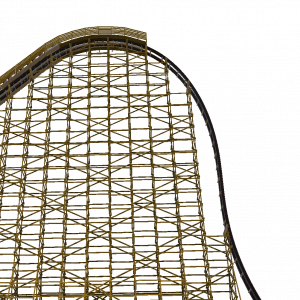
Hello there, I wonder if anyone has a model of the Intamin Plug and Play Wooden Coaster? For example, El Toro or T Express trains.
How do you use the LSM launch kit? I have the files but I dont know how to put them onto my coasters. Does anyone know how I can fix this?
@ Mitch : here is how to make it work :
in NL2, on the scenery tab in the editor, select "choose" and find the folder "LSMKit-by intim305" where you have
located it on your computer. in the folder select the .nl2sco file: "LSMs by intim305.nl2sco" and add it to your park.
some positioning will be required for it to line up with the launch track. Make sure that your coaster has a long, straight
transport section with the transport device hidden on a 2 tube w/o crossties rail type. if your row of LSMs is too long/short,
simply go back to step 1 in sketchup and add/remove a few, then repeat the proccess (instead of clicking choose and adding it again,
simply select it in NL2 and hit "Reload" in the scenery tab to replace them with the new lenght) until your LSMs are approximately the length
of your launch track.
(this text file is included in the zip file)
This guide is made by examining the train models in NL in different radii flat track curves and trying to find the minimum value where no clipping exists. Like my previous guides, this is by no means a tome of absolute truth, but more like a suggestion. Enjoy!

I know how to make an surface iluminate.
But is it possible with NL2MAT to make an surface flashing in any color (i know how to make it flash white) but i need it colored.
Someone any idea ?
MrRC posted on April 21st, 2019
I know how to make an surface iluminate.
But is it possible with NL2MAT to make an surface flashing in any color (i know how to make it flash white) but i need it colored.Someone any idea ?
You override the glossiness to 100%(in the basic tab), set it to entity (in the RGB color tab), set it to 2D (Constant color): white (under texture unit 0: setup/ type) and set the shading mode to custom (in the shading tab), deselect the Linear color space and enter the shader core code:
result = Mul (Tex0,Entity0) ;
The rest stays as it is.
It should now glow in any color you want.
(you need to enable the same Entity number you set inside the shader core code inside the User colors inside the NL2SCO editor under materials then you can color it from the object properties)
I hope it is what you were looking for
and that you can follow my directions.
@ LostSoul1599 tnx for your input and help, i got it fixed.
Maybe someone wants to put the link to my steam guide with a collection of small very short various tutorial posters (and that will grow over time): to the guide
I have updated the blender 2.8 track spline importer, for now available from my github repository.
Hi, I am trying to find if there is a way to export NL2 terrain, track, supports, etc. to a .3ds file of sorts for use with making interactive objects?

Posting again for posterity (and to have them in one place:
Editor keyboard shortcuts:
Spacebar = Select/Modify
R = Rotate
Q = Add Flange
E = Add Freenode
Y = Add Rail Connector
O = Add Roll
F = Add Footer
. = Start Vertex
L = Add Vertex
V = Insert Vertex
B = Add Beam
X = Add Beam Node
M = Set Terrain Markers
T = Modify Terrain Markers
F1 = Help Panel
F2 = Vertex Panel
F3 = Roll Point Panel
F4 = Supports Panel
F5 = Prefab Panel
F6 = 4D Parameter
F7 = Trigger Settings
-Ride_Op
Yes, but multiple sources show that the distance between rail centres is to one decimal point, i.e. 1,200mm or 1,800mm (1.2 and 1.8m, respectively).