

The Official 3D Modeling Thread (Ask, Showcase, etc.)

Your file called slab.nl2sco can't be found by NL2 , you renamed it or deleted it.

^ No, since this would cause an additional file not found error message.
@ Bestdani did u see this ? :

Sure,
but that is what NL2 shows me when I rename the NL2SCO file that NL2 is about to add:

And that is what NL2 shows me when I use a on purpose corrupt 3d model file on an existing NL2SCO file:

And just for the completeness: That's what NL2 shows when the NL2SCO is correct but the assigned model is renamed:

Therefore I cannot comprehend how you conclude that the NL2SCO file is missing:
The error message in case one, which you claimed to be absolutely sure about being the case is obviously not the one that is discussed here.
Kadske posted on September 6th, 2018
Not really sure what to do here/what I'm doing wrong. I do a lot of CAD work, but I've never tried to input anything into NL2.
Any halp? I've gone through a few pages and haven't seen this problem posted. I'll delete if I find a solution in the next few mins.
Keith, as u can see the message on top of your screen, is cut off, can u make the pop-up bigger or slide it to the right so we can see the whole message.
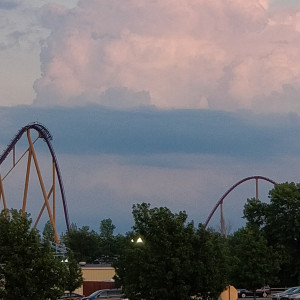
The message on the console was the same as the popup window. It was a. 3ds file that I converted from a . Step file. It could just be corrupted. I use fusion 360 for modeling, but no standard export files work with NL.
^ I use Google Sketchup and exporting my 3d models in *.dae and that works fine, even *.3ds works good.
^^ Can you import the 3ds file somewhere else like blender or wings3d and try to export it from there as dae for NoLimits 2?
A quick search revealed that Fusion360 seems to be able to generate both Sketchup and obj files. Both blender and wings3d should be able to import .obj and export .dae, I guess this is also the case for Sketchup, but I think the native sketchup file might work better.
^ I wish that wasn't so hidden to download as different files. I didn't even think to search for other export file types. Thanks for that. I'll try again when I get a chance now.


Reviving an old idea, for real this time... could have gone in wdyjdinl thread but It's just the model I'm showing so this made more sense...
Colours are only placeholders, hopefully I'll finish this project

I'm having trouble putting scenery to this ride. I'm trying to use blender to make rock formations, but it isn't working out too well because I'm new to blender. I loaded the object below the track into blender as a guide, but that still hasn't helped me out. I just don't know how to make cliffs look good in particular. Does anyone have tips for making rock formations?
GenghisKhan posted on October 1st, 2018
I just don't know how to make cliffs look good in particular.
This is a strong hint that not the software you use is the problem but you should dive a bit deeper into different ways to model things like using sculpting or automatically deformations (displacement maps) for giving two examples, blender can also do all of these.
Two thoughts about this:
When you are new to 3d modeling it's probably not the best idea to start with something like this. I'd recommend to rather start with something like simple buildings first. I think the rocks included in NL2 do a very good job for this, so you could place them in the Editor. NL2 got much more user friendly in moving copying, moving and locking scenery objects.
But if you desperately want to create some right now, I think although this video is actually a pure advertisement video, this part (https://youtu.be/Gs5nBoIxnOg?t=34) demonstrates that it's important to link the textures and the mesh. So if you want to use an existing texture I'd recommend to shape some rock out of the texture instead of shaping one first and then applying the texture. You should also make you familiar with baking the high poly result to a low poly version for real time rendering usage.

I just want to hop in to say that mountains made with stacked rocks looks absolutely awful, and that if you have the opportunity to make single object for the whole hill - even rather simple - in Blender, it would look a hundred time better.
Stacked rock mountains can look decent if you scale the rocks to be larger and give it some variation with foliage.

For a cliff ok, but for a more intricate mountain it's often meh. Damn RCT3 heritage.
@ Element115, What Rockpack do u use ?
Looks like the default Brown Stone Set.
Thank you for all your attention, I'm more looking for something similar to big grizzly runaway mine cars. I made this after looking around on youtube for a few days:

I know it is not the best quality, but I'm fine with making low poly rocks. I also haven't figured out how to put textures on it. This is what the rock could be used for:


^Looks like a good start!

^^ Yeah, that looks fine. For a cliff face scenery object like that, low poly is prob the best way to go. Once you smooth out the sharp edges and have a nice texture on there, it will look quite nice.
Now, this may seem like an amateur question, but..
What's the easiest way to model stairs? lol.
Every time i make a model that needs stairs, i always seem to take a different approach. And i can never find something that's quick and easy. Makes me want to just use ramps instead, hahaha. Any pointers would be appreciated.
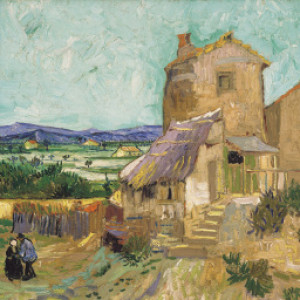
^ For the stairs themselves, array modifiers are your friend. Use a constant offset rather than relative and set two axes so they move both across and up.
Unless you need them to look that way, I'd avoid modelling the wall in the same shape because it requires quite a lot of polygons. I'd cover the sides with a separate wall instead:

I'd also recommend to involve the array modifier for this, here's the result where I experimented with creating the "perfect" stair also considering nice shading.

oh god not blender render... cycles is much better.
For displaying Matcaps in the Viewport, this makes no difference. And now try to bake a Displacement or Derivative Map with Cycles ;-)
I'd expect it's just the same message there, maybe (but I doubt) some more information is in %appdata%\com.nolimitscoaster.nolimits2\nolimits2_log.txt
I guess the exported 3d model is not compatible with NL2, even when using the same file format some compatibility issues can occur.
Have you tried another file format that nl2 can potentially read or another export setup if you can tweak these settings?
Which format were you using as the error occured?
Maybe importing it into another software that is capable of importing it and re exporting it from there can solve the problem.