

The Official 3D Modeling Thread (Ask, Showcase, etc.)

Do those seats pivot?? What’s the purpose of those large discs?
The large discs are big wheels. For high speeds. The seats stay rigid.

That... seems completely unnecessary for what you are trying to do there

Womp83 posted on August 10th, 2018
How do models that have been textured in Substance translate over to NL2?
I usually export a separate model for substance painter and for NL2. For example a version with some pieces separted for better access in the SP's 3D view. Applying the textures is the job of the NL2MAT files. I have created several profiles for different NL2MAT templates in substance painter.

^ Well i got a monkey head from Blender, and textured it with a material in Substance. Then got it all imported to NL2 with minimal fuss.
Thanks Substance. :)
Now i just need to go over secretimbecile's tutorial for working with specular maps on models.
Since Substance Painter supports and actually has it's strength in PBR materials that use a metallic and roughness model instead of specular, I think one should rather use also use this for NL2 then. NL2 Materials at least directly support the usage of metallic and roughness maps / channels since NL2.5.4 although it's not used for "true" PBR shading as far as I know.
An updated material tutorial would be great I guess, in a nutshell it can be used like this (it can be at the time I'm writing this only be set up using custom shader code):
Simple setup:
result = tex0; //base color texture
metallic = tex1; //metallic texture
roughness = tex2; // roughness texture
What I actually prefer, but this requires setting up an export profile for SP or combining the channels manually:
I call this compact setup:
result.rgb = tex0; //base color from tex0's rgb channels
metallic = tex0.a; //metallic information in tex0's alpha channel
roughness = tex1.a; //roughness in tex1's alpha channel (tex1 rgb is the normal map)
Have I gone to far?


Yes, learn to bake
^That's kinda rude. It's right of course, but it's not the nicest way of presenting it.
h... how many polygons is that....
^My model, if you can recall (remember? I caused a huge fight due to my passive-aggressive nature), had around (1)75 tris (?) and still looked kinda primitive. So this one must easily pass the 200-300 or so.
NoLimiters posted on August 25th, 2018
Have I gone to far?
Unless we can grab, repair and open it - but maybe even then - yes, way to far.
Yeahh... Seems like you need to do some research on baking your normals. It looks great, but that polycount is just headache-inducing by the looks of it.
Really impressive model though!
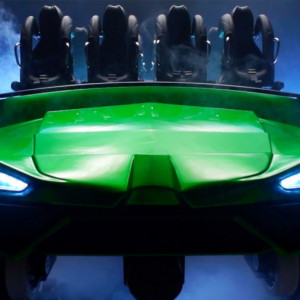
I have experience with blender from Non-Coaster related things. It is my 1st time having a go at modelling a Coaster train.
Does anyone have any advice on Poly limits etc.

Cheers, Dan :)
^ If you're looking to use them in-game, I recall mention of 40,000 polygons for the most complex models in NL2. (don't know whether that refers to a car or whole train) High to low poly baking is a must for these kinds of models.
Meanwhile, some of my materials are getting frightfully complex:
Tmp0 = Mul(Entity0, Tex0.r);
Tmp1 = Mul(Entity1, Tex0.b);
Tmp0 = Add(Tmp0, Tmp1);
Tmp0 = Mul(Tmp0, Tex2.a);
Tmp1 = Mul(Tex3, Tex0.g);
Result = Add(Tmp0, Tmp1);Tmp0 = Add(Tex0.r, Tex0.b);
Tmp0 = Mul(0.7, Tmp0);
Specular = Add(Tmp0, 0.1);
Smoothness = Lerp(Tex0.g, 0.1, 0.9);Ambient = Mad(Tex1.a, 0.5, 0.5); '''

Huh, there is a limit...
^ Yes, I also discovered this at some point
I recently took notice of a new open source photogrammetry tool (meshroom) and since the results were looking good and way more useful than what I got for example from some smartphone apps in the past, I gave it a try and I really like it.
It just takes some pictures of an object and then transforms it into a textured high resolution 3d object, depending on how many pictures you take this can take quite a long time though (for the tree I used 96 pictures and it took about 2h to get the textured high res 3d model).
It's kind of useful not only for scanning full objects but also for getting textures with normals from the real world rather quickly.
Here are some of my personal results:
A short rendering of a cube that just uses some scanned normal map, I additionally just added some quick fixes to reduce specular highlights from the base color texture:
Dropbox Link
Some large area scan trials:


And finally some objects in "a game engine" after going forth and back between meshroom, instant meshes and blender to simplify them and baking textures and normals onto the low poly objects.

Edit: I also uploaded a fly through this scene now:
Wow, didn't know there was good free photogrammetry software out there now. I'll have to experiment with this at some point
This is wonderful! Congrats!

Welp, time to uninstall Blender now.
Nah, jk, I ain't gonna do that.
Question: I have made a glass roof with Sketchup in a building, the problem is that I can't watch through it. This needs probably to be fixed with the NL2mat editor I guess but how exactly?

The blue is supposed to be glass
In the NL2-Material-Editor is a Transparency tab, you can choose the desired option there, there is one preset meant for glass already. You have then to use the NL2Mat-Material and replace the glass material in the NL2SCO-Editor in the Materials tab.
A side note: Be careful with this when you want to maintain a good performance, transparent materials, especially large areas can cause severe performance impacts, especially when the geometry is sloppy and Sketchup is known for producing sloppy geometry in many cases. Keep an eye on the fps when you change that and if it gets an issue figure out how to fix possible geometry problems and if this does not help rather consider using a design that does not require transparency.
Not really sure what to do here/what I'm doing wrong. I do a lot of CAD work, but I've never tried to input anything into NL2.

Any halp? I've gone through a few pages and haven't seen this problem posted. I'll delete if I find a solution in the next few mins.
What does the console say? The message is cut off in your screenshot.
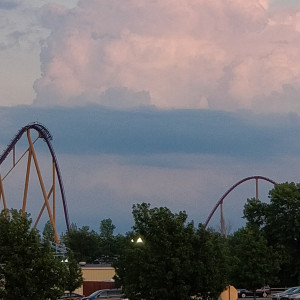
Here is a 500 foot plus height coaster ive been working on. Still lots of work to do.