

The Official 3D Modeling Thread (Ask, Showcase, etc.)
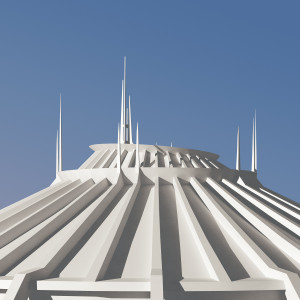
Hmmmm... what could this be for? ;)


It's not perfect, but pretty damn close. This was a practice attempt to get the hang of how I wanted to model each track section. The crossties will be redesigned slightly to allow for flexible tubing to be snapped on.
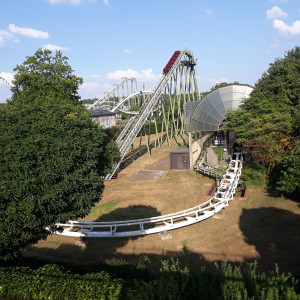
I'm currently working on a coaster that's going around and over some buildings. I've already made the buildings in blender but have the problem that the textures of the buildings aren't exported into NL2. I already read that you can change the material settings with the NL2MAT-Editor, but I only could achieve that the buildings got a specific color which was way too strong and it completely didn't look right. In blender I used some basic materials (color and then the basic settings with roughness etc.) and a glass material. Here's a render out of blender of my 3D-Model:
https://drive.google.com/file/d/1_oYLUkkbjd3AoGaJUQu8NG6dXQimuvCD/view?usp=sharing
My question is what do I have to do to get the materials like they were in blender or is that not possible.
Thanks in advance

@ HiAnonym , u got an PM.
MrRC posted on January 25th, 2021
@ HiAnonym , u got an PM.
Dude. For real, there's no point gatekeeping advice behind your DMs.
MrRC posted on January 25th, 2021
@ HiAnonym , u got an PM.
Thanks, the glass material works and looks really good. Do you also have an idea on what to do about the problem that NL2 doesn't show the materials which I made in blender? If I have to manually set the materials in NL2 is there a tutorial on how to use the editor other than the tutorial in NL2 itself?
@ HiAnonym,
Sorry i don't work with Blender, only with Google Sketchup for the last 6 (six) years.
MrRC posted on January 25th, 2021
@ HiAnonym,
Sorry i don't work with Blender, only with Google Sketchup for the last 6 (six) years.
OK Thanks anyways
Decided it was time to take the leap from SketchUp to blender for my modelling, I have used Blender for small things before but this is the first time I've used it for an entire project, was an interesting learning experience.
Cycles Render

NoLimits 2

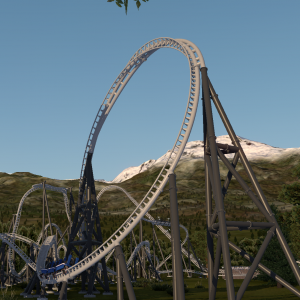
that looks really nice! the lap bars really make the whole train look so much nicer than tornado's
Does anyone know how to make a custom track 3D model load faster. I made my track in blender and it takes 5 mins to load into no limits 2.
CCA_Games posted on April 5th, 2025
Does anyone know how to make a custom track 3D model load faster. I made my track in blender and it takes 5 mins to load into no limits 2.
What suffix has your track ? *.DAE or *.3DS ?
My experience is that *.DAE faster loads. (and takes less space)
I’ve been using gib however I’ve realized I’ve been smoothing the the cylinders wrong as I just cranked up the amount of faces. Lowering it and using the auto smooth shade fixes it and my load times are back to normal, probably under 30secs.
CCA_Games posted on April 6th, 2025
I’ve been using gib however I’ve realized I’ve been smoothing the the cylinders wrong as I just cranked up the amount of faces. Lowering it and using the auto smooth shade fixes it and my load times are back to normal, probably under 30secs.
OK, good luck with your project.
When exporting a spline whats the difference and reason for using editor spline over center spline or vise versa?
Since no one here had the answer I asked NoLimits. Their answer below in case some one else needs the answer.
The editor spline might contain offsets from the center spline when the heartline or custom offset option is used.
(Editor -> Coaster -> Coaster Properties -> Mode -> Splineposition)
When set to 'Center of Rails', the editor spline and center spline are identical.
I exported my track design and imported it in Solidworks. its 39.47 times to small. What did I do wrong?
That sounds like a inch/meters conversion problem. Exported splines from NL2 are always exported in meters, no matter what you set in units. The unit setting only affects the labels inside the editor and will have no effect on any file format exported or imported from or to NL2.
thanks in advance