

The Official 3D Modeling Thread (Ask, Showcase, etc.)

I recently created a single poster like guide that shows the most important aspects and mistakes I've seen when it comes to creating 3d models for NL2 that will not cause massive lag in the end when used in larger amount or big scenes, I guess besides the NL2 Resource thread this is the right place to share it:
https://steamcommunity.com/sharedfiles/filedetails/?id=1992163488
Greetings,
Daniel
In addition to my previous post you might be maybe interested in seeing some techniques for using blender only for creating an optimized 3d game asset including PBR texture effects, level of details (LOD) and general organization workflow inside of blender!
Part 1
Part 2
Part 3
Note this is for a bit advanced blender users that already know the basics, otherwise you probably want to start by watching my quick start playlist first!

Here's a little something i made in Leocad back in February.


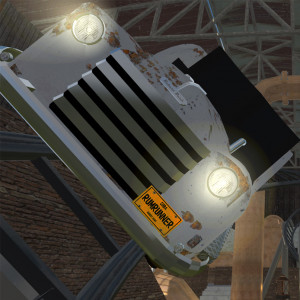
I had to make the windscreen and the afterburner cowling myself. Decided to style the cowling after the real car, cause it was just easier to do.
Also tested out and used a PBR material on the floor.
i just started with making 3d models with blender and cant figure out how i can get a woking window and wasnt able to find any information. my current atempts ended in one side beeing 100% transparent and the other 0%.

I have make both sides with the same material, makes it transparant.
Hello everyone, just wanted to drop in and say hi. I'm a returning user of NL, I originally got into it for a while about eight years ago (before they had hills!) after having been a big fan of the rollercoaster tycoon games while I was studying. Also being in 3D I was doing a bit of related modelling on the side and experimented with bringing in 3D meshes into NL. But then I kind of left it all as my life was changing.
Coming back 8 yrs later it's amazing how far NL has come in so many ways, graphics, environments, lighting, everything. As I've been working from home recently I'm keen to get back into doing more portfolio work, and designing rollercoasters is one of those things.
I've been browsing around some threads and am impressed with a lot of what is being made and the helpful tutorials. I am very interested in particular with Mrcrolly's work, as I'm also learning Unreal (through work and home), and my intention is to build an environment with ride using NL, 3d modelling software and Unreal.
I'm still tracking down old pics and clips of things I've made before so will be happy to show those if anybody is interested :)
Quick question: which is the best (and easy) software for Mac to design objects for my projects? I used in the past Sketchup. Also, which type of files can I use in the editor? I have NL2 Pro. Thank you in advance
Google Sketchup works great in NL2. I use *.dae objects. With help from *.NL2MAT u can make really nice surfaces.(like see-through windows), Glowing buttons, Flashing Buttons, Flashing windows, endless possibilities.
MrRC posted on May 1st, 2020
Google Sketchup works great in NL2.
Are you sure it works great?
Scroll to the last part. Sketchup is easy, but definitely not a good choice for NL2.
Great! But I can read that Sketchup is not perfecto for some users, which other app for Mac do you advice to me?
https://www.blender.org/ also runs on Macs and is a versatile free 3d creation suite with feature worth thousands of dollars.
bestdani posted on May 3rd, 2020
https://www.blender.org/ also runs on Macs and is a versatile free 3d creation suite with feature worth thousands of dollars.
I will check it!!
Ah! Thank you for your greats scripts! I am using the auto transfers objects, great job! Thank you! (Sorry the off topic) 🤪
How would I pay TheCodeMaster to have him commission a custom project for me? Paypal? Moneygram? I would be willing to pay him to make me some different styles of Japanese ferris wheels. On discord people said if you pay some money TheCodeMaster would be more willing to do custom 3ds rides and trains.
Ehm... Why not ask him yourself?

Hello everyone,
I am totally new to the forum, however not new to 3D modeling. I just recently learned that you can have PBR-ish materials in No Limits, so I want to do some experiments.
I spent some time searching the forum and learned the basics of the NL2MAT; I have some minor issues, If someone could help me out, that would be very appreciated.
First thing is updating a material. I have loaded my textures in a material and I have an object that has that material assigned to it. So far, the object is displaying the material as expected. However, when I make any changes to the material, it is not updating on any object instance; the only way it seams to do it is when I first delete every instance of that object in the Scene and than place it again. Is there a better way to do that?
Secondly, the line metallic = (whatever number or map); gives me an error. I have seen that line being used; does anyone know what could be the issue here?
And finally; a very specific question maybe, how does NL handle specular values? In UE4, the value is 0.5 to be physically accurate, otherwise 0.04 is the standart value for dialecric materials. Anyone know what is most realistic in NL? And is there already a fresnel effect on the specular or is there a way to code that into the core?
Cheers guys and thanks in advance!
To your first question, I believe it will update if you 'Reload' the item. It will reload all instances of the same object. You can do this by selecting an object and pressing 'Reload' in the Scenery tab. Alternatively, if you go to the 'Scenery' tab and click on 'Show Overview' it will show you all objects placed. Then you can select the object from the list and press 'Reload'' in that panel.
Thanks Bullero, that works!
Edit: Also, the Metallic line now works aswell. Must have been a stupid typo :D
EDIT :
Never mind, i got an solution.
How can i make a surface changing its color with a track trigger ?
Can i import and export spines to blender if yes, how to do it and what file to use
@ Coasterman0108 u need a Pro version of NL2 for export and import splines.
How do you convert to nl2mat file as the files don't go through when just renaming the file type.
Never mind I think I get it.
WIP setpoint swing thing train for a project im working on

There is no pic that i can see.
so I use solidworks as my background is ME, but I’m trying to export something made in solid works to a park file. How do I do that without the model becoming way to big to fit the screen I tried using meshlap and it did convert to a .dae but it didn’t import into the file right the model was so back I even tried to scale it down and it just didn’t show. Maybe I’m missing a step??