

The Official 3D Modeling Thread (Ask, Showcase, etc.)

try using a group instead of a component^

Ended up fixing it turns out just got to use blender to join all the meshes into one by clicking control + J then renaming the mesh to whatever i want.

An unfinished Merry Go Round. What do you think?
I hope to see that finished. All of my Japanese parks really need a carousel so bad!

Does anyone here have a train that looks like... well a train or a monorail? Just out of curiosity
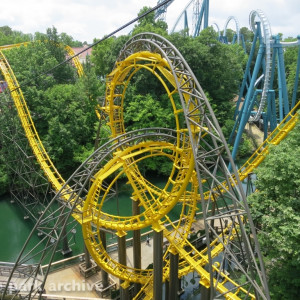
Don't want a Lech Coaster with custom trackstyle if there's no custom train. So here it is:
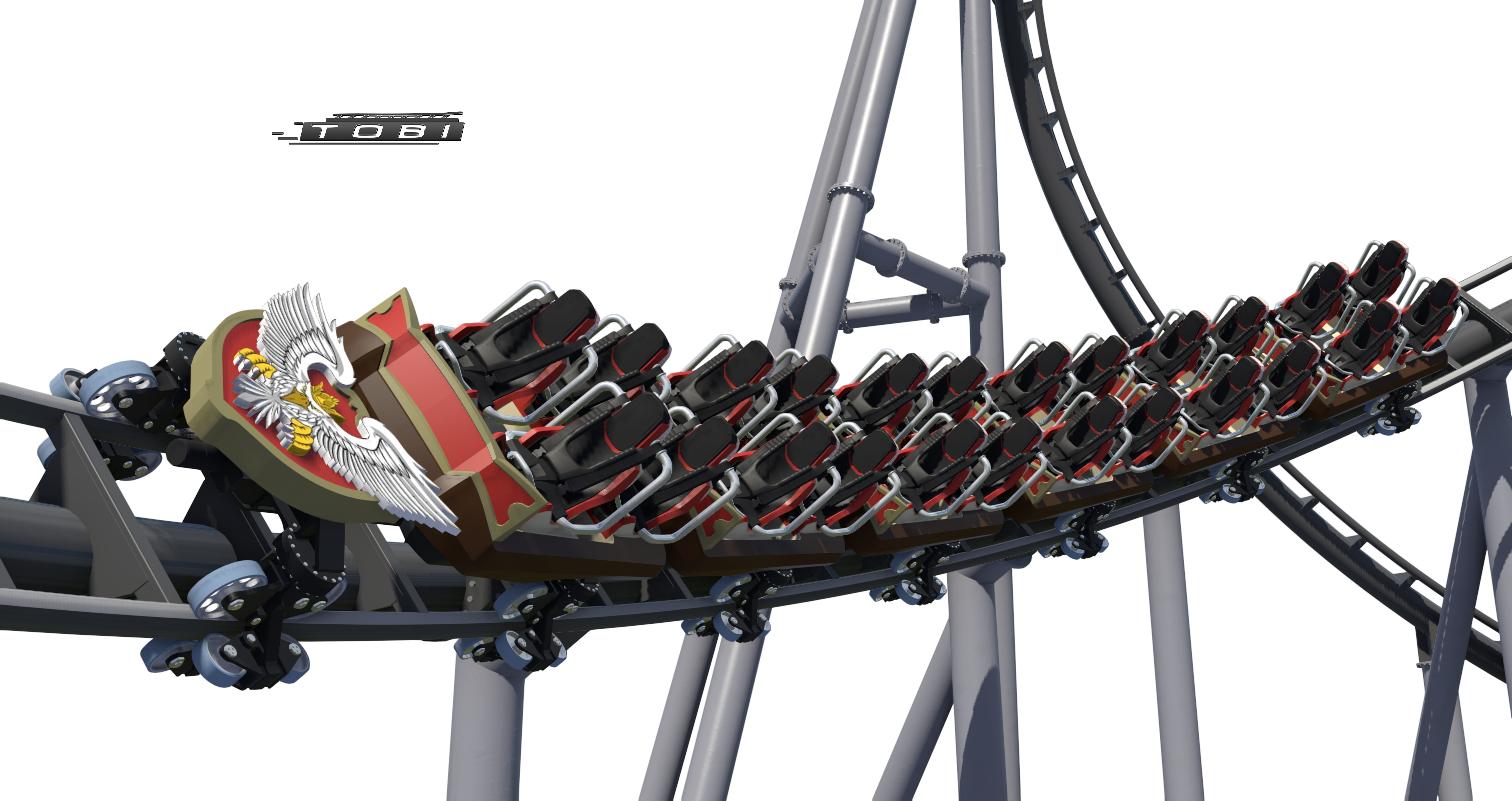

That's incredible. But looks like you've got one extra car there;)

That looks absolutely incredible! What modeling software do you use?
is that shot taken in NL2 or is it a render? that looks ridiculously good!
CoasterMac305 posted on January 6th, 2018
That's incredible. But looks like you've got one extra car there;)
Yes, you're right! How could that happen :D
BlaseRhine posted on January 6th, 2018
That looks absolutely incredible! What modeling software do you use?
I'm using SketchUp :D
Element 115 posted on January 6th, 2018
is that shot taken in NL2 or is it a render? that looks ridiculously good!
It's taken in NoLimits.
any news about the "upcoming PBR" update ? Because the actual beta is pretty far to be physically accurate.
Can you make the textures of google maps sketchup buildings better and more clear? Can you add more textures for the roofs?



Small question for anyone who can offer some input..
Do any of the modellers here use Substance Painter for their scenery work, and would you recommend it? And how well does it go with NL?
I'm thinking of getting it. Gonna check out the free trial first obviously, and was just wondering what it's like.
(i have a strange feeling i was discussing this with someone on the old NLE forum, but i can't remember who, lol)
^ Substance Painter uses a PBR (physically based rendering) workflow and nl2 is not(yet) . So you'll probably not have the same result between the two software.


Working on a 3D model of Saltair for my upcoming documentary. Drawn exactly to scale.

^^ That's no problem, you can either convert your PBR maps to "classical" maps or also use the "classical" maps in SP2, for the latter, the SP2 and NL2 result look nearly the same.
Example:

^ I read that you can use .blend files when importing a mesh in Substance. Have you done that before? (just wondering what the pros/cons are, if any) or do you use another format when importing a mesh? And can you use SP to make all your other map types? (normal, specular etc)
I saw a short video on youtube recently showing the basics of Substance. Looks fairly easy to use.
It used to have that function, but I never was able to import any of my .blend files and that import isn't available anymore in the 2017.4.1 version that I'm using. Since I found out that there's also (still) a bug when refreshing COLLADA files that I export from blender, I currently use .obj or .fbx for SP which works flawless so far.
Yes, you have many options how to use and export maps from SP including custom "user" maps. An example:

BTW, a fact I wasn't aware before trying out SP which also left me up skeptical if it would be suitable for NL2 assets.
I've tried UV unwrapping my merry go round. Is there a faster way to make multiple parts of the mesh share a texture other than putting them on top of each other in Blenders UV editor?
That's what I'm currently doing sixteen times per part, and I have a bunch of them.
^Its hard to understand what you mean, can you share a picture of your situation?
I don't know Blender, but in 3ds Max I'd first texture one part of the mesh and then copy that part over.
The short answer is yes....though I'm not exactly sure how you do it.
A quick video (done in slow pace) how I think that could be done.
^That doesn't seem like what I'm going for. You start with the premise that I have two seperate meshes; I have one continuous one.
^^^Here's the situtation:

As you can see, there are lots of pieces in the UV editor that look the same. They're actually different fractions (1/8th) of the same circle, so they are identical. I want them to share one place on the texture/UV map(*). As of now, what I do is take every one of them and manually move them to a position they all share. I am okay with doing that once or twice, but do that over 32 times and it gets annoying. Additionally, the parts are rotated or mirrored sometimes, which I also need to correct.
In total: It's a pain and it seems like the most brute-forced and inefficient way to do this. Is there a way to improve this?
*Making more than one piece share a place on the UV map would mean that less space is required. I could increase the scale and thus the detail of all parts, which I think would unarguably be better.
^Sounds interesting. I read the custom object tutorial (not sure if I understood every necessary 100%) and it sounds like something that could help.
Just a question: For your cube in the tutorial, what does Cube.cfg do? It's never mentioned or opened in the tutorial, so I assume it's empty? Do I need that file? I won't be adding lights to the model, at least I don't plan to.