

The NoLimits 2 Mega Resource Thread - Guides, Tools, Scripts
Yes, it's clearer now, I tried to translate it on the internet but that's not what it said, when it's right you'll just need to put more of them on. Thank you for helping me
No problem, feel free to ask again if you have any questions in the future ;)
I managed to solve the problem by changing the script and it works.
Thank you so much
TCM's custom gates
Hello! I've noticed some coasters had some custom gates by "TCM" (TheCodeMaster i assume) and i would like to use some of them on some coasters. Is there any way to get them somewhere?
RMC It posted on July 20th, 2021
Calebgill2004
Not sure if this will help, but see here: https://nolimitscentral.com/forum/topic/682?page=1#c17349
That is exactly what i mean, however it doesn't help that much since the person that made that didn't do a tutorial or leave any scripts under the video
Calebgill2004 posted on August 11th, 2021
That is exactly what i mean, however it doesn't help that much since the person that made that didn't do a tutorial or leave any scripts under the video
That person apparently synced the station's dispatch time and put the brake wait time to 0
EDIT: Download the script here: https://nolimitscentral.com/exchange/park/958

What the trick when using the projection scenery to have the project not go through multiple walls showing in other rooms it should be.
Hi, does anyone have some station scene objects I could use for a project? I'll take anything you have but I would prefer something old and broken down looking. Thanks so much for the help!
elight8680 posted on October 5th, 2021
Hi, does anyone have some station scene objects I could use for a project? I'll take anything you have but I would prefer something old and broken down looking. Thanks so much for the help!
There are a few.
Here are bestdani's Scalable Build Shapes.
Steam: https://steamcommunity.com/sharedfiles/filedetails/?id=1584360543
Non-Steam (may be invalid): https://drive.google.com/file/d/1azb8AlZRPNQvLUDf_7kroMbry4-e0iYI/view
Most look modern, but some are wood and others worn.

Her are SirMaverick34's Simple Shapes: https://i.imgur.com/JRrQejR.png
Hope these help
RMC It posted on October 5th, 2021
There are a few.
Here are bestdani's Scalable Build Shapes.
Steam: https://steamcommunity.com/sharedfiles/filedetails/?id=1584360543
Non-Steam (may be invalid): https://drive.google.com/file/d/1azb8AlZRPNQvLUDf_7kroMbry4-e0iYI/viewMost look modern, but some are wood and others worn.
Her are SirMaverick34's Simple Shapes: https://i.imgur.com/JRrQejR.png
Hope these help
Those were a huge help, Thanks!!
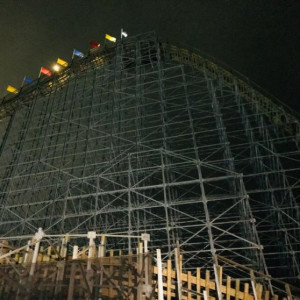
Hey, how would I be able to properly scale a screenshot for a background in FVD++? Here's an example:


Large Square = 10 meters(image below)

Small Square = 1 meter (zoomed)(image below)

MrRC posted on October 7th, 2021
Large Square = 10 meters(image below)
Small Square = 1 meter (zoomed)(image below)
Thank you! I understand that now. Still having difficulty with adjusting the image though - been trying to get it properly scaled with paint.NET, but haven't had much luck with that. What do you use/what's your process for converting templates into FVD++ ground textures?
I don't use templates. I make all my buildings as custom objects in Google Sketch Up and export them as *.DAE
Check the FVD++ manual. It tells you what the physical size of the background should be in meters (can’t remember the number off the top of my head and not at my computer). You can then use the grid in NL2 as described above, to get an image of the proper physical size to match that of FVD++
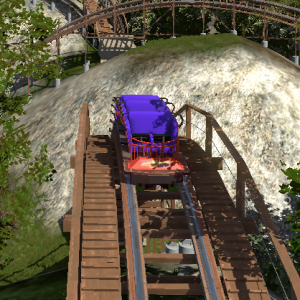
Looking to see if anyone can help me figure out how to make a recreation of a complicated landscape. Ive been wanting to do a Dorney Park Recreation for a long time but replicating the landscape is a huge task.
Hey Guys I'm working on some theming elements, I was wondering if anyone had some antique looking scene objects? I'll take anything you have, Thanks!
hey i notice that the link for the vekoma mk1212 trains isn't working anymore does anyone have the files still, or a newer version?
bearing posted on November 17th, 2021
hey i notice that the link for the vekoma mk1212 trains isn't working anymore does anyone have the files still, or a newer version?
Send me an email (see my profile), with subject NL2 MK1212 trains
bearing posted on November 17th, 2021
hey i notice that the link for the vekoma mk1212 trains isn't working anymore does anyone have the files still, or a newer version?
E-mail is send
NoLimits 2, Videos d'apprentissage pour Roller Coaster
17 videos d'apprentissage pour créer dans Nolimits 2 pour la communautée Française.
Utilisation des scripts, création d'objets , animation etc...
17 learning videos to create in Nolimits 2 for the French community.
Use of scripts, creation of objects, animation etc ...
steam : https://steamcommunity.com/sharedfiles/filedetails/?id=2671650634
does anyone have BA7's trench file that is updated, the link in the description of his video is expired/outdated
i did get a new file from him a while ago, but i have since switched pc and no longer have that file,
would be appreciated, thanks.
Could somebody please send me TheCodeMaster's Premier Trains? (Skyrocket/west coast racers) I haven't had any luck finding them elsewhere unfortunately so I'm asking here. Thank you!

I have made a skybox pack!! Will be making another soon so stay tuned
Will this help?:
Sélectionnez l'objet de freinage dans les fichiers de votre ordinateur, puis ajoutez-le près de la section du bloc auquel il doit être attaché.
Cliquez sur l'objet pour ouvrir le panneau des objets de la scène, puis donnez-lui le nom (Name) de la vitesse que vous voulez couper en miles par heure.