

NoLimits 2 - General Thread (News, Tips, Q&A)
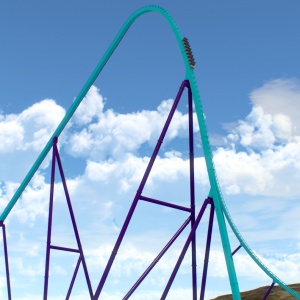
Praise the devs for finally adding the bottom accented paint style! Thank you!


Manual focus is very nice, looks like SSS is gonna get even better!
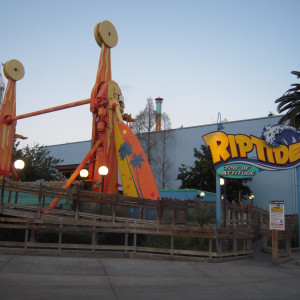
Cool that you are able to operate the new flatrides!
Hopefully this feature will be provided to all flatrides ingame
The arm accent for the ranger is not able to be placed correctly. I have all values the same for each sco piece.


Just start the simulation, it will be placed correctly there no matter how it is displayed in the editor.

Please note: we are no longer providing free Steam licenses to those who purchased stand alone NoLimits 2. We provided this complimentary service for years since the release of Steam and for 6+ months following the release of Mac on Steam. The time has come to sunset this offering.
Going forward the only way to obtain the Steam version is to purchase on Steam. Thank you for your understanding.
-Ride_Op

Ride_Op posted on November 10th, 2018
Please note: we are no longer providing free Steam licenses to those who purchased stand alone NoLimits 2. We provided this complimentary service for years since the release of Steam and for 6+ months following the release of Mac on Steam. The time has come to sunset this offering.
Going forward the only way to obtain the Steam version is to purchase on Steam. Thank you for your understanding.
-Ride_Op
I was literally a day late :P
^^ Maybe include something on the standalone NoLimits2 page stating that NL2 is available on steam and will require a separate purchase if purchased from the NL2 site, just to avoid any potential confusion or anger about the situation.

Is it still possible to upgrade to pro if the game was purchased on Steam? I'm all good in that dept but I'm curious.
yes, purchasing an upgrade key on the standard site and entering it onto your steam version will upgrade it without losing its connection to steam
A bit odd that there's little-to-no justification...
Hello. 🙂 This is really random, but may help you guys. To take away the struggle of placing a connector on a connection piece of track, import your coaster that you are supporting in the same park file. Freeze it and leave your original coaster unfrozen under the frozen track. You can do your supports and not worry about placing it on a connection on the track and having to adjust after.

alternatively split your track into more realistically sized segments using style connectors, the connection point will always appear at the separator and you can support the coaster unfrozen with no worries.

^Exactly what i do with all my rides,

Hey, did you ever wish they will make Arrow Corkscrew trains with thin restraints without iron grips not Thick Top restraints?
Here's what it thin restraints looked like:
https://livedoor.blogimg.jp/dondumari/imgs/d/8/d82aafeb-s.jpg
Not really,
Didn't you already ask this on a diffrent thread?

Yes he did on several topics.
yeah. i did
I've run into issues with PBR textures in the new update. Reflections are no longer diffusing on rough materials, they're always totally sharp. Specular hightlights have also shot up in brightness.
Any ideas? Any changes in how PBR works?

EDIT: shader code
Result = Color;
Metallic = 0;
Smoothness = Mul(Tex0, Tex1);

Anyone knows how to make a Mack launch backbone for some parts like inversions? Like DC Rivals or Star Trek Operation Enterprise
^^ Appears to be for transparent materials only
Report to nolimits@nolimitscoaster.com
-Ride_Op


Anybody else getting this after updating this morning?
The only reason you would see that message is if your license key was disabled by us for over use. If this is your key and you never gave it to anyone else or received it from anyone else and somehow it's still disabled, please email the listed email address to look into the matter further. Please provide the user name you used to register your software.
-Ride_Op
2.5.7 is out now!