

The Official Scripting Ask Thread

You misspelled the methods you have to implement, the NLVM programming language is case sensitive, this means OnTrainEntering is something completly different than onTrainEntering. Like in Java you should stick to the convention to just use upper PascalCase for classes only and for methods and variables lower camelCase.
Edit:
Why the heck the already correct answer wasn't shown until I posted?
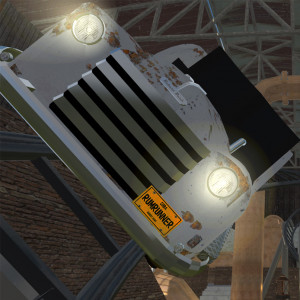
This just confirms I'm a massive idiot lol. Changed to lower case 'o' and adding the following to the OnInit, for every trigger
startTimer = coaster.getTrackTrigger("startTimer")
Thanks RK Rides and bestdani, it works like a dream now!
EDIT: If I want the trigger to 'read' which train is passing over and react to each train in a different way. I can make a private int that stores the train handle and specify with an if - and statement what to do for each train and each trigger, correct? How can I make my trigger 'read' which train is passing?
Thank you in advance!
The probably most simple way to do that might be this:
import com.nolimitscoaster.*;
import nlvm.lang.*;

public class TriggerDemo extends Script implements TrackTriggerListener {
    private TrackTrigger trigger;
    private Coaster coaster;

    public bool onInit() {
        coaster = sim.getCoasterForEntityId(getParentEntityId());
        trigger = coaster.getTrackTrigger("t");
        trigger.addTrackTriggerListener(this);
        return false;
    }

    public void onTrainEntering(TrackTrigger trigger, Train train) {
        if (train == coaster.getTrainAt(0)) {
            System.out.println("train 1 entered");
        } else if (train == coaster.getTrainAt(1)) {
            System.out.println("train 2 entered");
        }
    }

    public void onTrainLeaving(TrackTrigger trigger, Train train) {
    }
}
Thanks Bestdani, that works!

I wanna rotate an object untill value y = 0.3 then it has to go down to 0 and the rotation direction has to go in the opposite direction)
this is my script so far :
import com.nolimitscoaster.;
import nlvm.math3d.;
public class bear extends Script
{
private static final float rotationrate = 0.1f;
private float y = 0;
SceneObject sco;
SceneObjectElement elem;

public bool onInit()
{
	sco = sim.getSceneObjectForEntityId(getParentEntityId());
	elem = sco.getElementForName("Bear");
	return true;
}

public void onNextFrame(float tick)
{

	y += rotationrate * tick; // opposite direction i use : y-= rotationrate * tick
	{

	if (y < 0.3f)

	elem.setRotation(new Vector3f(0,y,0)); // oposite direction  i use : elem.setRotation(new Vector3f(0,-y,0))


	// System.out.println("value :Y "+ y);
	}
}
}
Many thanks to all.
Something went wrong with posting script.
There are many ways to continue or do this, it depends on the final context what you want to achieve. What's not clear is if you want to repeat the whole cycle.
One way to do this is just to mirror the "movement" once your animation touched the "barrier value".
This means just do something like y += direction * rotationrate * tick with direction = 1 initially, if y > barrier direction = -1 and if < -barrier direction = 1 (barrier = 0.3 in your case) again (maybe also do proper mirroring, by adding / subracting the difference to the barrier value).
What in these cases could also be used and maybe looks better is just to use a sine curve for the movement, like amplitude * sin(x) where x = speed * time (means x += speed * tick in script code). When amplitude is 0.3 the sine curve would oscillate between + 0.3 and - 0.3 then for example.
Bestdani, as u described in the last few lines of your post thats exactly what i'm looking for, but i don't know how to put that in script form.
I looked in the HELP from NL2, but couldn't find anything usefull to keep the script running error free.
If you want to use the sine curve, you can for example apply the sin function like this:
import com.nolimitscoaster.SceneObject;
import com.nolimitscoaster.SceneObjectElement;
import com.nolimitscoaster.Script;
import nlvm.lang.Math;

public class bear extends Script {
    private static final float AMPLITUDE = 0.3f;
    private static final float ROTATION_RATE = 0.1f;
    private static final float PI_2 = (float) (2 * Math.PI);
    private float offset = 0;

    private SceneObjectElement elem;

    public bool onInit() {
        SceneObject sco = sim.getSceneObjectForEntityId(getParentEntityId());
        elem = sco.getElementForName("Bear");
        return true;
    }

    public void onNextFrame(float tick) {
        offset += ROTATION_RATE * tick;

        //keeps the offset within the [0, 2*Pi) interval
        while (offset >= PI_2) {
            offset -= PI_2;
        }

        elem.setRotation(0, (float) Math.sin(offset) * AMPLITUDE, 0);
    }
}
EDIT : YES this is exactly as i needed, i just changed some variables and done.
Thanks i will try this. Have a nice weekend.

Hi ! Is there a way to detect if the player presses the "Reset" button of the Ride Control Panel in a script ? and also for the "E-Stop" one ? Thanks a lot in advance !
You can query the emergency state by using bool isEmergencyStop() method of coasters (look at com.nolimitscoaster.Coaster in the Scripting API).
For reset nothing similar exists but I think a script that monitors a coaster could assume that a reset occurred when for example sudden jumps in train positions or jumps in block occupations occur and other similar things happen.
Hi, I'm currently making a log flume in NL2 and the script I've got works when no other coaster is near but when I add one, it doesn't works anymore. If anyone could help me, it'd be great! Thanks in advance.
U have to make a start with the coaster before u adding the waterslide.
Well, I did it, both layout are complete. Anyway, I found the solution, thank you for your reply.

I'm having problems creating a simple block script layout. I'm trying to learn basic block scripts by using MusicKid43's block script generator to create a script for a coaster I made, but it doesn't seem to be working. I've followed his tutorial page, but I can't seem to get it to work. It did say something about copying the generated script into the script file, but I don't know how to do that because I can't open .nlvm files. Does anyone know how to fix these problems?
NLVM files are technically just normal text files, you can right click on the file, select open with and select notepad for example as the default application to open NLVM files with.
By the way, I have released an in game (in Editor) custom block tool that just works by configuring setup objects without any need to copy scripts or deal with scripting generators. (If you want to learn how to make your complete custom scripts, a script generator would also not help much)...
Download information in video description
Does anyone have a script for a coaster layout that enters a track merge followed by a triple launch à la Soaring with Dragon? I need one for a Gerstlauer Infinity coaster I'm working on.

look up bestdani's block blocks
I'm trying to script a coaster train to transport to a certain spot on a single block, brake for a few seconds, roll backwards about 1 meter, brake for a few seconds, then move forward out of the block. I have everything working except the move backwards part. Do I have to script the coaster into full manual block mode, or is there a command I can add into my script to do this?
Hi Henryan,
u can try to use the Hydraulic Launch Kit package to make it work, u have to tweak some to fit your purpose. (it works in full auto mode)
Is there a command line in there that does it or would I need a completely new script? I used the setLeaveModeMoveBwd(); but its not working. I'm figuring there is a setting that doesn't allow a coaster to move backwards on a block.
Hello, when you open the NL2 Help, go to Scripting API / Class Overview / com.nolimitscoaster.Section to get all methods to control the section like you can with the controls in full manual mode (and even more).
When you are using the blockhelper you cannot do it with the help of it. You could either rewrite the blockhelper internals to make that possible, program an adapter to your personal script for that block or possibly also use a bit of trickery to work around the limitations of the blockhelper, last but not least a block script from scratch would also work of course but is probably the largest amount of work.
Ok, great, thanks. That was my question. I was using the blockhelper script, I was figuring I'd have to do some bigger work to it. i think I will give it a go with writing a script from scratch. I'm Ok at scripting, but if anyone has a sample of a full block script they would want to post, I would like to have a reference.
Oh and I forgot: https://github.com/geforcefan/NoLimitsFramework is also an option which might be even simpler to extend due to its object oriented design.
Since you want to implement the abstract methods of the parenting class you have to make sure the names are exactly the same.
This means you have to use lower case o's for 'onTrainEntering' and 'onTrainLeaving'.