

The Official Scripting Ask Thread

The playlist moved to my channel since the shared channel was closed by the owner: https://www.youtube.com/playlist?list=PLwlY7uDI5gWSzAUFE9y3bNA98ZDIdT0Kj
But this is no way a full tutorial since it covers a certain aspect of block scripting using a helping framework, this is maybe good to get familiar with using the programming language that NL2 uses but it is not about programming itself, and it's available in German only so far (I think the auto translated subtitles are not good enough to make use of them).
I also started writing a more general beginner guide, this mainly happend since I wanted to test some text editor workflow. But it's not finished yet and everytime I read it I find many things that I think should be improved to not bore or even confuse the readers (one already tested it).
Since learning programming properly is more a matter of years and self study and experimenting (on which I tried to focus much) it can of course also do not cover every aspect and when I ever release it, it is also more for getting a basic idea and getting some first things practically done by using NL2 scripts without covering all details and not covering good practices.
When I find time to add a lot more examples there's a chance I will release it though.
I hope you are aware that I made a package that allows these things already without writing scripts by yourself but by using a general concept of animating every object (It will also receive a huge usability update soon, I just have to wait for something).

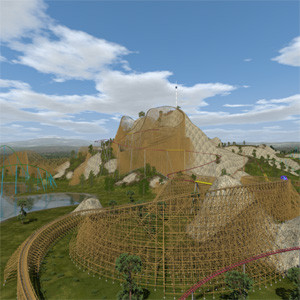
I've got a complicated problem that I am looking to see if it is possible to script. It has to do with a track switch where part of the car passes the switch, the switch switches and the back half of the car follows another track?

U have an image to show whats the problem ?
Hello,
i do programming a lot of years, but more for MCUs, Raspberry Pi, console programms for PC etc. in C. I have also made some programs in C++. Also german language is no problem because i am from germany :-) I have found videos from new play list, but if it is only for block scripting, it does not help yet, perhaps later. Is it possible to get the package for animated objects without steam? i have no steam account and have never informed how to use it. My linux ubuntu PC hs for internet only and NoLimits2 is running on a Windows PC without internet connection (it was connected only ca. 1 minute for enabling NoLimits after installing it). Is there a doku hot to install and use it?
Best solution will be one working example, then i can change it for my special case. Is there a park project that uses animated objects triggered by trains passing a selected point of track where it is possible to read the script code of the object? The only example i have found in help for scripts was an animated object rotating constantly without triggering by a train. So i was able to use it for my own objects, also to use other periodical moves.
If it is necessary to learn java, i think it is not a big problem for me, it is just another programming language, programming itself is nothing new for me. E.G. i have written a console programm for PC to calculate track elements (e.g. clothoid curves, drops, camelbacks for airtime etc.) as CSV files that can be imported with the professional version of NoLimits.
Best regards
Hi, okay that information helped, I have a download link from dropbox: https://www.dropbox.com/s/ti0fljrn2d50f6t/instant%20animations.nl2pkg?dl=0.
Actually NL2 is shipped with a lot of examples how to do it and and introduction text in the manual, just look at the demo objects in the installation folder, there are some that use triggers already.
There are of course several ways to achieve this, with triggers you first have to define your script to implement two callback that the trigger which are implemented by the TrackTriggerListner interface:
Here's some example recipe using the most simplest approach I can think of in the moment by using a simple state machine, of course depending of what you do this could become more elaborated* when focusing on some details.
import com.nolimitscoaster.*;

public class MyScript extends Script implements TrackTriggerListener{
	// unforunately there are no enums in the language, we have to define them manually
	private static final int DOOR_CLOSED = 0;
	private static final int DOOR_MOVE_TO_OPENED = 1;
	private static final int DOOR_OPENED = 2;
	private static final int DOOR_MOVE_TO_CLOSED = 3;

	// some variables we will use
	private SceneObject doorObject;
	private TrackTrigger triggerOpen;
	private TrackTrigger triggerClose;
	private int doorState;

	public bool onInit() {
		doorObject = sim.getSceneObject("door object");
		doorState = DOOR_CLOSED;

		triggerOpen = sim.getCoaster("coaster name").getTrackTrigger("open door");
		triggerClose = sim.getCoaster("coaster name").getTrackTrigger("close door");
		triggerOpen.addTrackTriggerListener(this);
		triggerClose.addTrackTriggerListener(this);

		return true;
	}

	public void onNextFrame(float tick) {
		switch doorState{
			case DOOR_MOVE_TO_OPENED:
				// do something to animate the door, I'd suggest to involve
				// Tools.switchRampC1(...) or C2 when doing this
				break;
			case DOOR_MOVE_TO_CLOSED:
				// same reversed
				break;
		}
	}

	public void onTrainEntering(TrackTrigger trigger, Train train) {
		if(trigger == triggerOpen){
			state = DOOR_MOVE_TO_OPENED;
		}else if(trigger == triggerClose){
			state = DOOR_MOVE_TO_CLOSED;
		}
	}

	public void onTrainLeaving(TrackTrigger trigger, Train train) {

	}
}
*Probably some Java Developers would rather like to create a Class for each state and dedicated listener objects for moving the door. ;-)

I'm hoping someone could help me out, I'm trying to find a way to do a Multi-move Blocks script, sort of how B&M coasters start moving another train just slightly early to increase capacity, and I'm also looking for I guess I could call it a script where the feeders change speed base on the where the train is.
For the second script, what I mean is like how feeders will move at a fast speed on B&M's, and then when the train gets to a certain point they slow down (Which helps when it's raining)
Hello,
download worked, thank you, perhaps i try it later. For your example code: where do i use this code? In the coaster? In the object? Somewhere other place? And for the code to animate the door: are the coodinates relative to placement of object, if the door is positioned in closed position, is the first translation/rotation (0,0,0)? Or must i use absolute coordinates? is the variable tick starting at 0.0 for the time when trigger is entered? Now i am searching for an example park in NoLimits2 that uses triggered animation, i hope i can find one, perhaps above questions will be answered. Or does one of the parks in this forum has triggered animations?
I am still searching for the posting showing a train (maybe a wing coaster or a wide drop coaster) leaving a station and two gates on the sides are opening to let train pass leaving the station. It was a animated gif in posting, but i do not know any keywords to use for search function. Perhaps this is also a park that can be downloaded here.
I have read sometimes there are so many examples given with NoLimits, but there are only some example parks (i have not found any park with animated objects) and a lot of script examples. I have found only one in the help for an unconditional moving object, but not a triggered one. In this link
https://www.coastercrazy.com/forums/how-to-open-a-door-script-t32370.html
there is a link to a youtube video with an example for animated doors, it should be an example of NoLimits, but i cannot find it in my installation. Have i missed something at installation of NoLimits? Or where are all the examples for scripts? The park file of this youtube video will help. I have found another animation from user thimok, the youtube video shows a park named "Baron 1898", but there is no download of this park here. And i do not want download all parks just to find one with animated objects...
Best regards
Hi folks, still trying to work on a script that delays an animation occurring by a set amount of time (e.g. 2 seconds).
My edited version of bestdani's code is currently:
package scoanimation;

import com.nolimitscoaster.SceneObject;
import com.nolimitscoaster.TrackTrigger;
import com.nolimitscoaster.TrackTriggerListener;
import com.nolimitscoaster.Train;
import nlvm.math3d.Vector3f;

class TrackTriggeredScoAnimationDelay extends ScoAnimation implements TrackTriggerListener {
    private float moveBackDelay;
    private bool triggerRested;
    private float moveBackDelayTimer;
    private float launchDelay = 2;
    private float launchDelayTimer;

    TrackTriggeredScoAnimationDelay(
            SceneObject animatedSco,
            Vector3f transformedTranslation, Vector3f transformedRotation, Vector3f transformedScale,
            float movingToTransformedDuration, float movingToRestedDuration, TrackTrigger trackTrigger,
            float moveBackDelay) {
        super(animatedSco, transformedTranslation, transformedRotation, transformedScale, movingToTransformedDuration,
                movingToRestedDuration);
        this.moveBackDelay = moveBackDelay;
        moveBackDelayTimer = moveBackDelay;
        trackTrigger.addTrackTriggerListener(this);
    }

    void onNextFrame(float tick) {
        if (moveBackDelayTimer > 0) {
            moveBackDelayTimer -= tick;
            if (moveBackDelayTimer < 0) moveBackDelayTimer = 0;
        }
        if (launchDelayTimer > 0) {
            launchDelayTimer -= tick;
            if (launchDelayTimer < 0) launchDelayTimer = 0;
        }
        super.onNextFrame(tick);
    }

    bool isTriggeredRested() {
        if (triggerRested) {
            triggerRested = false;
            moveBackDelayTimer = moveBackDelay;
            return true;
        } else {
            return false;
        }
    }

    bool isTriggeredTransformed() {
        return moveBackDelayTimer == 0;
    }

    public void onTrainEntering(TrackTrigger trigger, Train train) {
        triggerRested = true;
    }

    public void onTrainLeaving(TrackTrigger trigger, Train train) {
        launchDelayTimer = launchDelay;
        triggerRested = false;
    }
}
Line 59 is my attempt to try and get the delay working, but I think I'm doing it completely wrong. Currently there's no syntax errors but the delay I'm trying to achieve doesn't happen. If anyone requires the original code by bestdani I'm editing, I'll post it. Thanks!
While you set the delay time in line 59 you don't query it somewhere? Actually wrapping the instructions inside the triggerRested branch in the isTriggeredRested() method with a launchDelayTimer == 0 condition should do the job already assuming there would be no other logical error. But another problem is that you set up the timer when the train leaves the trigger instead when it enters it and where the triggering event is started by setting triggerRested to true.
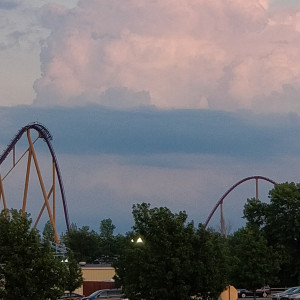
Has anyone scripted a double unload, double load, double exit station like Top Thrill Dragster or Maverick? I would like to know how to do this if anyone has a clue.

set the number of passes on each station to 1

no scripting required
wow I had no idea. I just tested it. I thought passes only had to do with shuttle coasters. Thanks!
Hello,
i have found another forum with a thread with the same problem. There was mentioned the name "DoorScript" in the example and now i have searched for a file "doorscript*.*" in the NoLimits installation - and i have found it. It is hidden in scene objects in track trigger test and cannot be found with the file browser when choosing an object in NoLimits. You have to copy the files to your park file, then it can be added. There are a few examples there, most of them for flatrides. Perhaps later the script for external track camera would be helpful.
Then i can see that the script file is attached to the scenary object, in the example it is a simple door with two elements. The example worked, it sets its own triggers 5m before and after the nearest point on the track from the position of the door object. It works also with sound... After some problems i was able to change it according to my door: it is a sliding door and it is sliding to the top like a curtain in the theater. The object is a single object having no separate elements, i do not know if it is possible with dae-files from blender. The main difference is that the door is not rotating but moving as translation. But translation is made with absolute coordinates, so i had to get the actual position and add the move to it. But now it is working, also with sound! The sound in the example is not the right one for me but it is no problem to replace it by a new sound. Perhaps it works also with two doors opening to each side at the same position with two scripts (but only one sound) so you can make a door of more than one part without separate elements. But i do not need this option now.
Without the example it was much, much more difficult for me to solve this problem. Thanks for help here, perhaps i can use the given information later, also i have now found the tutorials in youtube.
Best regards
does anyone have a idea on how to make lights that turn on when i press a key on my keyboard, for when its night time

idk how to assign them to a key but there is a script that automatically turns on the lights when it gets dark.
U can look for the door script with actionbutton (mouse it depends on your settings), u can change it maybe to a keyboard key.
Provided that your script queried a SceneObjectLight named light somewhere on its initialization you can for example just do this every frame:
light.setEnabled(Button.isPressed(Button.ACTION) && sim.getCurSunElevation() < 0.05f);
Of course you can also add more conditions like from the newly added com.nolimitscoaster.Simulator.isViewerInsideSphere(...) method.
is it possible to lock the NL2 home screen in VR mode?
it is difficult to trigger the commands on the computer screen when another person uses the Oculus VR
I keep getting an error on " public bool onInit(){ " it says that there is an error but i cant see any issues with this line, i know that the script is probably all wrong but im just confused about that one error
import com.nolimitscoaster.*;
import nlvm.math3d.*;
import nlvm.lang.Math;

public class LightEnabled extends Script
{
	protected static final float DEG = (float)Math.PI/180.f;
	protected String SCRIPT_NAME = "Light";
	protected String LIGHT_NAME = "Light";
   	private Vector3f dis = new Vector3f();
	private SceneObject obj;
	private SceneObjectElement Light


	public bool onInit(){
		obj = sim.getSceneObjectForEntityId(getParentEntityId());
		if(obj==null){
			System.err.println(SCRIPT_NAME + ": Object not found");
			return false;
		}
		turn = obj.getElementForName(LIGHT_NAME + ": Object not found");
		if(turn==null){
			System.err.println(SCRIPT_NAME + ": Element " + LIGHT_NAME + " not found");
			return false;
		}
	}
	public void onNextFrame(float tick)
	{
    light.setEnabled(Button.isPressed(Button.ACTION) && sim.getCurSunElevation() < 0.05f);


}
update i just found one issue, there wasn't a parentheses before " public bool onInit(){ " now it says that line 14 or " } " is a sytax error
Can u provide us with the script with line numbers and an image with the error line, is much easier to work with.

You're missing the closing } after
light.setEnabled(Button.isPressed(Button.ACTION) && sim.getCurSunElevation() < 0.05f);
public void onNextFrame(float tick)
{
    light.setEnabled(Button.isPressed(Button.ACTION) && sim.getCurSunElevation() < 0.05f);
}
Also :
turn is never set (the variable does not exist before assignation). Possible fix : rename turn to light
a light is not a scene object, you may want to replace obj.getElementForName with obj.getLightForName
light should also be replaced with a SceneObjectLight instead of a SceneObjectElement.
light is never set and does not exist before assignation. Light =/= light. Possible fix : rename Light to light in : private SceneObjectElement Light; (also missing a semicolon)
Vector3f dis is never used : No need to fix, but to remove a warning, delete this line. Same for DEG.
onInit() is missing a return statement.
Wrong name used in getElement(/Light)ForName
This should look like this (Not tested):
import com.nolimitscoaster.*;
import nlvm.math3d.*;
import nlvm.lang.Math;

public class LightEnabled extends Script
{
	// Removed unused DEG & dis

	protected String SCRIPT_NAME = "Light";
	protected String LIGHT_NAME = "Light";
	private SceneObject obj;

	// Changed type, name, missing ';'
	private SceneObjectLight light;

	public bool onInit() {
		obj = sim.getSceneObjectForEntityId(getParentEntityId());

		if(obj == null) {
			System.err.println(SCRIPT_NAME + ": Object not found");
			return false;
		}

		// Renamed from turn to light, changed to getLightForName, corrected parameter
		light = obj.getLightForName(LIGHT_NAME);

		if(light == null) {
			System.err.println(SCRIPT_NAME + ": Element " + LIGHT_NAME + " not found");
			return false;
		}

		// Added missing return statement
		return true;
	}

	// Added missing }
	public void onNextFrame(float tick) {
		light.setEnabled(Button.isPressed(Button.ACTION) && sim.getCurSunElevation() < 0.05f);
	}

}
TLDR: Missing semicolon line 12

I am just wanting to get into scripting scenery, specifically doors that open and close on command. Does anyone have a good place for me to start? Thanks for the help!
Hello,
i am searching for tutorials for scripting. The link from bestdani on the first page of this thread says in youtube: "this play list is no longer available". I want to make something like doors at the station, that opens when train departs from station and closes when train has left station. Is this done by triggers? The doors are separate scenery objects and i think they has to be moved by scripts. I have made a simple rotating object, that rotates continuosly without trogger.
I have seen a thread with a short animation where a train is leaving a station and doors opens for the train but i canot find it again, even with search function (what keywords are the right ones?). If i want to make a move when a train passes a point i think there must be set a trigger. Best is a tutorial that shows how to make this.
Best regards