Coasterman0108
C Posted June 6, 2020

This maybe belongs here, or maybe in the NL2 ask thread. I've created a 3D model of a bridge and I have textured grass over the top surface of the bridge to match the existing terrain. When trying to match the textures they always look different though, the grass texture on my object always looks darker or mismatched in colour than the grass on the terrain map. I've tried messing around with the settings in the NL2MAT files but can't seem to find the right settings, does anyone have any ideas/tutorial videos?
I've never done it myself, but this tutorial should cover what you're trying to do.
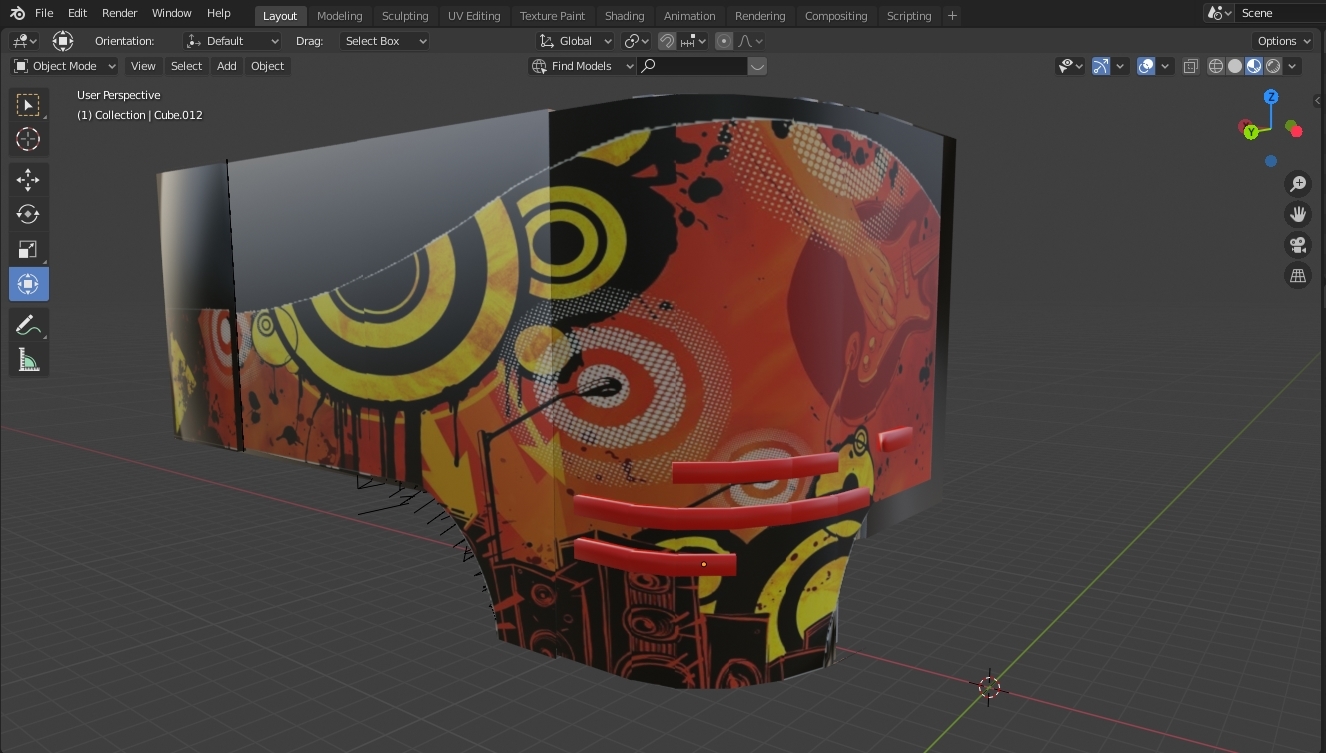
this is for the car hanger and the queue entry, the red rectangles are for the video screens
Thanks for sharing this info! it's helpful and useful.
I started using Blender, this 3D program is good for "organic" modelling, or the sorts of models that are sculpted.
I own a XP-Pen Artist 16 (2nd generation) display drawing pad which is perfectly usable for drawing, sculpting, or modeling.
I'm new to working with blender in conjunction with NoLimits 2 I was wondering how to use the track generator files found in most NoLimits 2 custom track kits if there is a tutorial or guide you know of that would be helpful or just some basic instructions would help.
Is there a way to export the terrain in Nolimits to Blender?
popcornrat posted on September 5th, 2023
Is there a way to export the terrain in Nolimits to Blender?
I my knowledge only with a Pro version.
are there any custom train tutorials?
supercool_username posted on September 5th, 2023
are there any custom train tutorials?
Use the search option on this forum or YT
secretimbecile posted on August 6th, 2018
^
Firstly, why this is happening: Nolimits 2 stores tilt values between -180° and 180° and wraps them around so if say a corkscrew has two roll nodes with 179° and -179°, there's a two degree tilt between them. In blender however, vertices need to be interpolated between for various uses (e.g. camera paths), so the developers decided to allow any value (-∞ to ∞) but with no wrapping. The -179° to 179° segment becomes a 358° tilt.
Edit your curve, and open the toolbar on the right of the 3D View window, Find the node where the tilt value changes by a large amount (usually a multiple of 360), in my case it went from 188° to 538°. with the first skewed node selected, Ctrl+RMB on the final vertex in the curve to select the rest of the vertices. Press Ctrl+T and adjust the tilt (in my case I typed "-360" and pressed Enter). This will fix the first inversion. Repeat this process for each glitch.
Hi, i have the same problem in blender where the track kinda glitches at some points but when i select that vertex and then the end vertex and then tilt it with -360 it doesnt fix the track glitch. I was wondering if maybe you knew an other solution. Thanks!