

The official Blender Software Thread (ask, discuss, present, etc.)
Hey,
i imported my track spline into blender, but now all of the vertical track pieces are messed up. Is there a solution to fix this issue? I used the csv importer by geforcefan.
^
Firstly, why this is happening: Nolimits 2 stores tilt values between -180° and 180° and wraps them around so if say a corkscrew has two roll nodes with 179° and -179°, there's a two degree tilt between them. In blender however, vertices need to be interpolated between for various uses (e.g. camera paths), so the developers decided to allow any value (-∞ to ∞) but with no wrapping. The -179° to 179° segment becomes a 358° tilt.

Edit your curve, and open the toolbar on the right of the 3D View window, Find the node where the tilt value changes by a large amount (usually a multiple of 360), in my case it went from 188° to 538°. with the first skewed node selected, Ctrl+RMB on the final vertex in the curve to select the rest of the vertices. Press Ctrl+T and adjust the tilt (in my case I typed "-360" and pressed Enter). This will fix the first inversion. Repeat this process for each glitch.

I like that arrow layout. I think it is a arrow.
^^ Thank you for helping me out. :)
Is it correct that Blender 2.79 keyframe animations do not work in NoLimits 2?
^
bestdani posted on June 10th, 2018
Seems to be an issue with the Collada exporter of one of the recent blender 2.7x updates, I did not exported an animated object for quite a long time, but a buddy and I found out when I remember correctly that changing the Transformation Type setting during the export to "TransRotLoc" seems to fix it.
(When I remember correctly in the previous release the default option "Matrix" was just not correctly applied, now it is applied but that function seems to be broken).

Oh okay. Didn't read that, thanks for pointing out

^^Oh so THAT's why it wasnt working a while back, Thanks!
Hello,
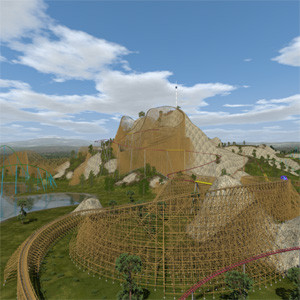
until now i have made some blender objects for NoLimits, mostly some buildings. I have added some basic meshes like cubes, cylinders, spheres, text etc., changed and combined them. Later i have added some pictures for texture maps. I have selected each mesh, changed to edit mode, selected all or some faces and clicked "unwrap". In a second window i have the UV-viewer, i see selected faces on UV-surface. Now i select a picture as UV-map, scale, rotate and translate it until it fits to the faces of the mesh. When i change back to object mode, i see the faces with the UV-maps when i use the texture display mode. In solid display mode i see all objects as shiny grey surfaces.
I can export this as DAE-file, import it to NoLimits and add it as scenery object. First it is completely white, i have to select it and open the nl2sco editor. Now i cann assign to each material a material file, for the first time i have to open the material editor, add the UV-image file, set reflection, opaque or transparency etc. When finished, i delete the white object and relaod it, now i have the object with correct surfaces.
But when i import some other 3D-files, i cannot use UV-maps. Sometimes the meshes have materials and not UV-maps, i do not know how to change them to UV-maps. So i can only use the materials itself and cannot use UV-maps with more detailed textures. A special case is the exported LWO-file from NoLimits from the light pattern generator. I use it to generate a surrounding tunnel of the track, so i can import it to blender and use this as visible guide for designing buildings surrounding the coaster (like "G'sengte Sau" in Tripsdrill, a wild mouse coaster running through and around a castle).
But the mesh from the LWO-file from light pattern generator is totally black in texture display mode of blender. It is very difficult to see the dimensions relative to the building i make. But i was not able to put a UV-map on it, also i was not able even to change the color from black to another color. I can select mesh, change to edit mode, click "unwarp" and adjust selected faces in UV-viewer as i can do with other meshes (e.g. add->mesh->cube). But surface remains black while the cube gets UV-map in same blender file...
The only way to edit my building is to use the solid display mode, but i do not see the surfaces. So i have to switch between solid view and texture view and i have to deselect layer with the black track mesh when in texture view.
My question: is it possible to use a imported mesh and use UV-maps on it? Or change a mesh with materials to a mesh with UV-maps? I use blender only the way i have described above, for my own objects i add meshes like cubes, cylinders etc., select deit mode and click "unwrap". Nothing more, i do not render with blender, i only export to DAE-files for NoLimits. Here i select export with UV-maps, not meterials. You can only select one of them, it is not possible to mix it.
Thank you for any hints.
Best regards

I'd rather recommend to use Materials instead of "UV-Textures". While they are a quick way to texture simple things they are deprecated and blender 2.8 will for example not support them anymore as far as I know. Using explicit Materials with Textures is also more in common with how NL2 uses Materials and Textures and this also avoids any confusion you are now confronted with when using imported objects.
Here's the setup I recommend to set and check the UV-Mapping with the Blenderer Renderer. You should also then export Materials instead of UV-Textures. (You are also able to use other images in the Image Editor as backgrounds and they are not essentially the same textures that are drawn on the objects in the viewport anymore).

Maybe even more future proof and using state of the art techniques would be using the cycles renderer, it can also not use UV-Textures and tehrefore there is less confusion. You also don't have to enable environment lighting in it, it will just automatically do it like that if there's no lamp in the scene:

And to be ready for the future, same setup for one of the latest 2.8 alpha versions:

Hello,
i think, my last posting was lost or never send by my computer. It seems to me there is no solution for me, the mesh of the track remains black. But i can still use it when i place all meshes of my building in solid display mode, here i can see all my meshes and also the mesh of the track but without the textures. But i can see if there is no collision with the track. I have made some walls including holes as windows and tunnels where train is running through. Than i can switch to texture display mode and deselect the track mesh and place textures on my meshes. After saving file i remove track and save it with different name and export it to DAE-file. Now i can import it in NoLimits. Until now the Castle fits perfectly to the track, train is running through windows and tunnels without collision. It is a complicated theming for the coaster, but it is possible with a lot of work.
So this solution works for me, thank you for the tip how to import LWO-files, it reduces a lot of work even when i cannot put textures on it. The problem with blender seems to be the possibility to configure it completely individual so each one has a "different" blender version that looks different and has different menu points enabled. E.g. my blender looks different than the screenshots, some menu points are not present. This makes help for other users very difficult.
So i can work with exported track as LWO-file. But it is interesting if it is possible to store a mesh only with its geometry but without any materials or textures and import it again so it is similar to meshes that you add as new basic meshes like cube, cylinder etc. Perhaps i will try to export the track mesh as different 3D-files and reimport them, with much luck one case will work because the "wrong" material or texture information will be lost...
Best regards

Hi,
Can someone update geforcefan's Nolimits CSV Blender spline importer for 2.8?
https://github.com/geforcefan/BlenderNoLimitsCSVImporter
That would be helpful
I considered doing this once the 2.8 Python API got stable if he isn't.
A test render done with blender 2.8 (Eevee) with volumetric effects that I turned into a music Visualization VFX with the Video Sequence Editor:
I'm trying out a new video concept:
Could be interesting for the ones making custom rails in or such in blender (2.8):
how can i make working windows ? everything that i have tried so far is either not working at all or completly transparent on one side and not at all on the other side.

I have to make both sides the same material (Google Sketchup works that way) to make transparent
NL2 doesn't allow like queues made out of a path in Blender, doesn't it?
That shouldn't be any problem. U can use *.DAE objects to make a path

X-Ray posted on April 22nd, 2020
how can i make working windows ? everything that i have tried so far is either not working at all or completly transparent on one side and not at all on the other side.
If you wanna make a proper window, your 'glass' will need to have an interior face and an outside face. Then you'll need to use an NL2MAT on it, and play around with transparency settings, among other things, until you get the look you want. (if you're using the model in NL2)
Otherwise just leave the window as an open hole.
Polycoasters posted on April 22nd, 2020
NL2 doesn't allow like queues made out of a path in Blender, doesn't it?
As long as it is a solid object, it's fine. If you use a modifier, you can export the modifiers with it as well.
New to Blender and I have followed some tutorials, so far so good, thanks to everyone on here who has uploaded tutorial videos, they are all really helpful.
I can't for the life of me work out how to get the objects to show textures within NoLimits. I've gone through the tips on here, and on the 3D modelling thread, and seemingly every other thread related to modelling, and nothing I have tried seems to work.
I followed a tutorial to create a procedurally generated brick texture which is working great for me in blender. Does anybody know the step by step process for getting this brick texture to show in NL? I've tried the UV unwrapping and baking materials approach but I'm obviously missing a critical step somewhere, because whatever I try the material shows up white in the editor. I have other basic materials on my model, for example I have painted the base in a solid grey colour material, and the grey colour does show in the editor.
Is using the procedurally generated textures going to cause me problems importing to NL? They seem to be a really powerful feature in blender and I like the idea of setting up some base materials that I can then tweak depending on my requirements for each ride. But if importing them to NL is problematic, I think I will look at a different approach. My other concern - will the texture files be huge if I have a lot of area covered by a particular material? They seem to be random throughout the whole surface, so I'm assuming they will create one large image, rather than just a smaller seamless image that could just be tiled. The object I am trying to create is a brick lighthouse (https://imgur.com/a/IHWMOJY), so there are a lot of brick repeats within the main body of the structure.
Thanks in advance for any help you can give me!
You cannot export procedural textures in a 3d model file format, instead materials using only a single image texture mapped onto the model with a uv map are required. However you can bake procedural textures to use them as an image file. So you might wanna look into uv mapping and texture baking, here's a quick tutorial for the latter. For your lighthouse (and for most buildings) though it's probably a better idea to use tilable image textures in the first place. There are a lot of sites providing high quality pbr textures for free like for example texture haven or cc0textures
I found some forum posts online that suggested to run it by using the internal graphics accelerator, but these problems and suggestions were posted for early Win10 Nvidia drivers only, as far as I could read.
Can you maybe try either a very ancient version from https://www.blender.org/download/releases/ or one of the latest development builds from https://builder.blender.org/download to exclude any version specific problem?
Actually blender can run smoothly on very old hardware and even on my raspberry pi 3 it is useable to some extent, therefore I think there's something related to your Windows system installation / configuration that causes that. If this cannot be solved, mayber rather search for similar topics / ask in one of the blender communities for help.