

Hagrid's coaster recreation - Help welcome

Set all brakes to "Hide Brake Device" make its more real and u don't hear all the brakes getting activated / released around u.
Thanks for the tip MrRC, but all of the brakes are actually hidden. It's the hydraulic brakes of TCM's Modern Intamin LSM package that are making those sounds. Probably, though, their StaticSound settings weren't configured to place as many brakes as I have placed (specially considering that many activate at exactly the same time), so I'll make sure to modify their gain and distance parameters on their script so that they're not that loud and they fade out quicker with the distance. To make them more pleasant, let's say.
(Edit: It can also be that I added those sounds a lot of time ago to the brakes in the package and I don't even remember doing so now. I added this package to the project too long ago. But in any case, I'll make sure to fix them ^^)
(Edit2: I have checked, and the original unmodified package also did the sound, but I did tweak its parameters for worse as I'm seeing. I didn't manage that well with StaticSounds back then, I've learnt more since.)
But really, thanks to point it out because I had gotten so used to listen to it like that that I didn't even realize any more how loud those are ^^
you could add a heartline roll if its making it cooler
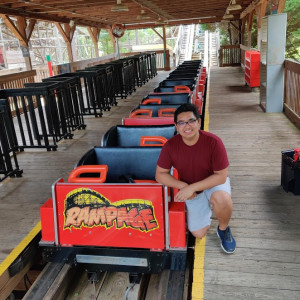
Wow this looks fantastic! In terms of getting all 12 trains on there, I recommend watching a daytime POV with a stopwatch and time all of the roller coaster sections. The entire ride cycle (both gravity sections + dark ride sections) seem to run slower than actual, while the station is closer to the real speed. This may be where your stacking issue comes from. If you can ensure that your recreation has the same duration between block sections as the original, you may be able to get 12 trains on there.
tornado posted on March 31st, 2022
you could add a heartline roll if its making it cooler
What a terrible contribution to this thread.
Great work with what you have so far, @dg. I wish I could contribute more than just giving props but at least know your work is appreciated and what you've done so far is incredible. Looking forward to seeing the final product.
Hey man! Just wanted to check in and see how it's still coming along?
Hey!
Well, so aside from tweaking the hydraulic brakes' sounds parameters, as MrRC suggested, I have actually done quite little on the project lately. I have gathered a few more reference videos to check the stacking issues and I've been doing a couple of small 3D modelling thingies which can count as very slowly learning 3D modelling, but sadly nothing significant. I truly (and sadly) haven't had much time to do stuff on NL2 since I posted this, but the project is not cancelled at all. ;) I still want to get it to a point where it is both more stable and less terribly looking, I just don't know when that will be. ^^'
In any case, thank you all for your interest and encouragement up until this point!
I just wish I had more time to bring this to life faster and be able to give you more news than this, :) but for now, this is it.
P.S.: I didn't mention it, but no, in this time nobody has contacted me to offer 3D modelling help, which is one of the points that is pushing me back on this the most, so while nobody like that shows up, everything stated above will be true. If someone comes and offers help on that, things will of course go much faster ;)
Cool project! Wish I could help! Great job.
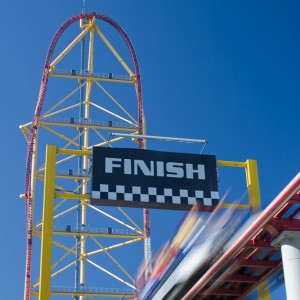
Amazing project!! Sure not all the timing is 100% perfect, however it's really good! As this is one of my all time favorite coaster IRL, I love seeing this project. Hope it hasn't been shelved.
If anyone's further interested in how to make the high speed switch tracks like I did here, I've just compiled a small tutorial on how to do the part I don't explain here.
I've mainly done it because there have recently been a couple of forum posts asking about it, but if it's also interesting to anyone here, feel free to check it out.
Thanks for the tutorial, that was exactly what I needed!
Another advice for Hagrids: In Universals 360° POV Video, you can get a quick glimpse of the maintenance area if you look backwards during the very first second of the video. Seems to me like there are a series of switch tracks with around 5-6 storage tracks.
Gosh, that's so helpful, thank you. 😀
I had found some 360º videos which of course were part of my reference set, and of course I had looked back right there to see if I could see something, but all of them had the maintenance door closed. I guess nobody like the house itself to leak those little details.
Now only one question remains about that: how on Earth am I going to do the triple switch there in NoLimits X)
It's an interesting maintenance area. I had never seen such a triple switch, tbh...
If what I'm seeing is correct, there are four tracks. The two on the left (as we look, not as the trains go) connect on a simple two way left-right switch and the merged track from those two and the two on the right merge together in a three way left-straight-right switch. The leftmost one, though seems like it starts further back. I guess all tracks are the same length (one train) but that one goes all the way to the back of the building and the others leave some space at the back for tools and materials. Of course it might be the perspective tricking me, but it appears like so.
Anyway, I might have to get slightly creative unless the NL2 devs add a three way switch track in the close future (or a "build your own special track" thing which would be awesome to have, tbh X) ), so I might change the three way switch for a two way left-straight and split the straight one a bit further with a straight-right, because I have really not many more ideas on how that could be done in NL2...
But if my tutorial was exactly what you needed, rct800, that was exactly what I needed in regards to the maintenance area, so thanks a lot for that!
Edit: and when you thought the video couldn't get any better, I've just had the chance to watch it calmly with headphones, and it has the clean original audio with no noise or screams. The recreation has just gotten significantly better. I'm definitely going to add that onboard audio now! Best thing is I wasn't even looking for that yet! (I probably would have eventually, but not yet, and still there it is 🤷♂️)
This is an awesome project! How did you make the rollingblocks in the station and how is it possible that a trigger opens the restraints?
Geminus posted on April 27th, 2024
This is an awesome project! How did you make the rollingblocks in the station and how is it possible that a trigger opens the restraints?
In the text of his post he mentioned the next lines :
I also wanted to make all of that work with a continuous loading station system like the original coaster does, so I imported some conveyor belts from Füchschen's package and modified them to be in sync with the coaster's transports. The train's harnesses also had to change from being linked to the actual harnesses to opening on a track trigger, since the trains now didn't stop and the first cars had to open/close the harnesses before the last cars.
(see original text for link to package)
MrRC posted on April 28th, 2024
In the text of his post he mentioned the next lines :
I also wanted to make all of that work with a continuous loading station system like the original coaster does, so I imported some conveyor belts from Füchschen's package and modified them to be in sync with the coaster's transports. The train's harnesses also had to change from being linked to the actual harnesses to opening on a track trigger, since the trains now didn't stop and the first cars had to open/close the harnesses before the last cars.
(see original text for link to package)
I know he uses a trigger and I downloaded the conveyors. The conveyors themself are working. But I don't know how to restraints are opened and how it's possible to make a rolling block. Since the coaster allows 1 train in each section. So how are there multiple trains on 1 transporter. And which script is used for the trigger opening of the restraints?
Geminus posted on April 27th, 2024
This is an awesome project! How did you make the rolling blocks in the station and how is it possible that a trigger opens the restraints?
I guess you want a bit more in-depth explanation. From what I remember (as you can see, I did that part quite a long time ago), I guess I can tell you a bit more.
First the easiest part: the restraints open and close separately for each car because they're 3D objects instead of NoLimits' trains. I've set the script for each car to use a different track trigger (that I manually placed on the track for each of the cars) to open only its own restraints. It could be done with just one track trigger and applying an offset through the script, but I decided on this other option because it was more adjustable. It's worth noting that the actual restraints on NoLimits' trains never open, as the train never stops so that they can be opened.
As for the rolling block, it wasn't easy, and it's one of the scripting parts that most headaches is still giving me each time I open the project. I've used a dummy 3d object that you can see in the onride part of my video, on the second 3:33, as a sensor with a red light at the bottom of the image. This object, which I planned to switch with a busbar model further on, holds a script that generates track triggers every 0.25m.
Then, it keeps track on which of these track triggers have received a train entering event and which ones have received a train leaving event, and therefore it knows where each train is and (by counting how many triggers are free between two trains) how much free space there is between the trains and therefore the speed at which it has to move the last one that arrives to get close to the previous without crashing. After that, it's just about keeping the speed of the station for all of the trains, and if the one at the front is stopped (because of a separate "Dispatch ready" system I did with a second coaster, that I didn't even explain before, or because of the maintenance switch not being set correctly or Launch 0 being occupied), the whole station stops.
The station itself is composed of 4 blocks (station-brake-station-brake, although that's just so that the blocks are ordered correctly in the blocks panel in the simulation, because the station-type blocks are actually never used as such). These four blocks have the "Multiple trains on block" warning disabled through the coaster script (Check Help -> Scripting API -> Class Overview -> com.nolimitscoaster.Block -> void setEnableMultipleTrainsOnBlockWarning(bool enabled)) and, in general, they work in unison, as I said previously.
Combining the scripting part with the 3D train to allow the restraints to be opened and closed automatically without stopping and differently for each car makes the system you see in the video work. The things I did could be done in a lot of different ways, and mine is probably not the best. If I had to do it again now, I'd most likely do it differently. The one thing that is inevitable is that you can't use the builtin station handler (because you don't stop the trains), so you have to handle the restraints yourself, and therefore you can't use NoLimits' trains, you need to add your own 3D ones. And you can't run away from a lot of coding here either, of course. 99% of the code that makes this coaster work is either custom or manually adapted for it.
I hope that's a good enough explanation, if you have any further question about it, feel free to ask.
dg posted on April 29th, 2024
I guess you want a bit more in-depth explanation. From what I remember (as you can see, I did that part quite a long time ago), I guess I can tell you a bit more.
First the easiest part: the restraints open and close separately for each car because they're 3D objects instead of NoLimits' trains. I've set the script for each car to use a different track trigger (that I manually placed on the track for each of the cars) to open only its own restraints. It could be done with just one track trigger and applying an offset through the script, but I decided on this other option because it was more adjustable. It's worth noting that the actual restraints on NoLimits' trains never open, as the train never stops so that they can be opened.
I hope that's a good enough explanation, if you have any further question about it, feel free to ask.
So if u place the Tracktrigger for the Harnass at the WRONG spot, it goes open / close in the middle of the ride ?
MrRC posted on April 29th, 2024
So if u place the Tracktrigger for the Harnass at the WRONG spot, it goes open / close in the middle of the ride ?
Well, I guess yes, but the same happens with all the custom trains out there that tell you to put a trigger at the entrance of the station instead of being linked to the real train's restraints... I think most of those were programmed to open after hitting the trigger and stopping the train, but if you put the trigger a bit back from the start of the station and trains stacked in the final brake run, the restraints of the train waiting to enter the station could be triggered to open as well... (assuming no transfer track right before the station).
What I mean with this is, to your question, yes, but you're supposed to place the triggers correctly in the first place, aren't you?
The triggers the restraints use are the orangey ones you place in the editor itself, no scene object shenanigans here, and they're named with a very specific name and are looked for by name from the script, so the chance of messing up that badly is very small...
Of course, on a real coaster with a rolling block, the PLC in the train that controls and monitors the restraints is only energized while the train is on the station, and you could potentially do something similar here, but I think it's too much work for little to no gain. You could also just prevent the opening triggers from working (in the code) if the train is going faster than the maximum rolling station speed there could be, but I see that a bit overkill, to be honest.
The only real issue with this system is that you have to manually tell each car if, on startup, they are on a position where they should have their restraints up or down, as they're unable to tell that when the simulation starts, and if you reset the coaster, things start to go a bit funky (at least until every train has gone through the station), but other than that, it works really good.
Anyway, as I said, my implementation is far from perfect. I don't want anyone to think this is the one and only way to make a rolling station work, it's just the way I did it and I'm sure there's someone out there that can think of a better way. As I said, if I had to do it again right now, I'd most likely do it differently, and slightly better. ^^
Hello!
You might not know me, as this is my first significant activity in this community, but I'm a big coaster fan and amateur programmer who enjoys too much a good challenge. And what else could it be than recreate in NoLimits 2 one of the most technically complex coasters on Earth, Hagrid's Magical Creatures Motorbike Adventure! (Yes, the full name was a must X) )
Project and goals
I started this project several years ago (when the first onride videos of the coaster started to appear) and it has only grown bigger since.
So far
My first goal was to prove myself that I could program the Block System Controller of the coaster, high-speed switch track and dual drop tracks included. I made a very rough sketch of the circuit (rougher than the picture) including all 7 launches, 2 stations and a couple more blocks where they should be and started to make the script work. There was obviously some hidden magic involving the high-speed switch and the dual drop tracks, but let's discuss that later. I also added a working maintenance bay (out of my best guess because I have no clue how the original one is).
When I saw it started to work well and be something cool, I started to refine the circuit. To do this, what was a 2D plane with a Google Earth screenshot became a 3D object I found here and things began to take form.
Then, I imported TCM's Modern Intamin LSM Kit and heavily modified its scripts to make it work with the drop tracks magic.
The drop tracks also came from another package, Yedrima's Drop Track Package which I'm not sure is in this forum (an updated link is in the video's description anyways). I also heavily modified it to support reversing the train direction and so that it worked with the trains I had.
I also wanted to make all of that work with a continuous loading station system like the original coaster does, so I imported some conveyor belts from Füchschen's package and modified them to be in sync with the coaster's transports. The train's harnesses also had to change from being linked to the actual harnesses to opening on a track trigger, since the trains now didn't stop and the first cars had to open/close the harnesses before the last cars.
Lastly, I learnt just enough of 3D modelling to do the high-speed switch track and the drop tracks models.
And I was adding some track triggers I made from a trigger model I found online before Red released his track sensors so I will probably replace the existing ones soon and add the missing ones, because Red's are infinitely better.
The future
I need help.
Yes, I've managed to make a huge monster work all together, but I lack two main things for a good recreation: real life experience on the coaster and 3D modelling skills. The latter, I could probably solve it in a few months if I could dedicate myself to that (which I sadly cannot), but the former is a bit more difficult. I live in Spain and I'm not rich, and that should explain X) I'm dying to try this coaster out in real life (and its more recent sister close by) but it's not something that will happen in the near future (if it ever does).
So after watching many onride videos, I'm still missing the hardest bit of making this recreation as real as possible: synchronize all 12 trains so that they all loop the circuit without cascading (up to 11 trains it's fine, but 12 breaks it). I know the real stations accelerate or decelerate depending on the number of trains that are running, but I don't know how much and that is incredibly hard to guess from YouTube only, specially since most videos start nearly out of the station and end before entering the unloading platform. I also have doubts about where certain blocks actually start or end.
I would need to know the "dispatch" intervals they use with different numbers of trains. Also it would be useful a "I know that, when everything goes fine with X trains, a train is here while the next is there".
I would also love to know how the maintenance bay looks like, if someone as curious as me has ever had the chance to take a peek inside, I would absolutely love to know how that is. Maybe I was mildly right but probably I was wrong and I'm definitely willing to modify it to match the real life if I can know how it really is.
And the 3D modelling skills: I really need to get rid of that crappy Google Earth 3D model if I want this to look like something minimally good. And I also cannot forget what makes this coaster iconic: its trains.
So, I would love to collaborate with someone (or with a small team) with better 3D modelling skills to give this coaster (in order of priority) its trains, a proper 3D outdoor environment, its station and drop tracks interiors and if possible its queue, all as close to reality as reasonably possible.
If you can help with any of those things, please don't hesitate to reply to this topic. I don't have that much free time lately, so I may take some time to answer back, but I'll make sure to do so at some point when I have enough time ;)
The magic behind the switch and drop tracks
I don't think keeping the secret eternally would be nice. Besides, it's not that much of a secret anyways.
Of course, it all involves invisible track, clever use of 3D objects and clever scripting.
High-speed switch track
For the switch track, I have made good use of the fact that between this switch and the spike there is a nice section of straight track belonging to the launch. This section is on NoLimits the actual block, and it's a transfer track. However, the distance between both of its tracks is 0, so that only the connexions change, not the position of the track. This way, the curve part of the switch connects to track 1 while the spike and the straight part of the switch connect one on each side to track 2. The coaster's script takes care of making the track instantly switch (with the minimum transition time) from track 1 to track 2 as soon as the train fully gets into the block. This way, we're already set for the spike and backwards launch.
To top it all, a 3D object of the piece of track belonging to the switch sections, which are set to invisible, moving along an auxiliary transfer track with the real transition time makes the trick. To attach the object to the auxiliary transfer track, the easiest solution: BestDani's attachment tools (also with a couple modifications).
Drop tracks
There are two blocks for each drop track, the upper and the lower. The upper is a transfer track, the lower is a regular block. The upper takes care of inverting the train's direction and sends it through an invisible track to the lower block. Since both the track and the trains are 3D objects, a script takes care of unlinking the train's cars from the actual train when it is "locked" on the drop track and linking it again when it is unlocked in the lower block. The fake track section now just needs to drop and the unlinked train to play along. Most of this was already done by Yedrima on the package, but as I mentioned it required modifications for it to work with everything else.
Video of current state (onride and special tracks)
I see it coming... "Will you release this park?"
Maybe.
I've been where you are right now in a couple of occasions and I understand you, but I don't plan to release this yet because of several reasons. To name a few:
But eventually, if all those points are solved, yes, I don't have any issue with releasing it for you to play with it :)
And that's mostly all for now. And it definitely was enough for this time.
I hope you have the time and will to help me finish this huge project and if not, thanks anyways for reading down to here!
Cheers,
Dragón Groar
(PS mainly for mods: If there's anything wrong with this thread (specially its category), sorry, it's my first thread. Just tell me and I'll fix it or do so yourselves if it's something you can do. Thanks ^^ )