

Tree Trouble!

Can u place and image what u doing ?
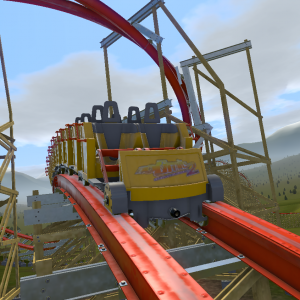
Well if you double click on the tree and then go to something like advanced options/more options (I forget what it is exactly), there should be rotations for the object and you can just type in what rotation (on any axis) you want.
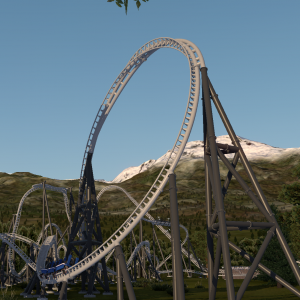
the rotate tool only rotates things on the Y axis, either double click the object and type the rotation numbers in manually, or (if it's not locked) click it once and use the rotator with the movement arrows for the object
MrRC posted on February 20th, 2021
Can u place and image what u doing ?
I managed to get a pic of said trees (20k jpg), then tried to insert it into my reply. I say "tried"..... I clicked on the "rightmost but one" icon and was confronted with a prompt saying character-character-image (highlighted), but then what?! No clue as to how to insert it. I thought blimey, they're not making it easy for me !!! (The message-handling software that is, not NoLimits!) I abandoned the idea of demonstrating and thought "add it to the list of things you can't do", sigh..... anyway I've since read the replies about entering nos. manually, so I'm going to have a bash at that as soon as my BP settles and I've finished my gin 'n' tonic...... ;)
When you see that formatting, you need to upload the image to an image sharing site and then copy the image over. So say I wanted to upload this:
https://i.imgur.com/removed.png
I'd put that between the brackets where it says "Image".
The result:

How I typed it:

Side note - I'm not sure 20 different topics, each for a unique issue, is very useful or well thought out. We do have an NL2 Ask Thread.
Aaaah, I see. Thanks for that! If I understand it correctly, it's no good then trying to use an image from my C: drive. I don't subscribe to any image sharing sites at the moment. Oh well. It was only to illustrate my "upside down" tree. I've found about 6 (amidst hundreds of ok ones in that coaster). I've no idea how they got there, but as I can't rotate them on the Z axis (as a few people kindly pointed out earlier), the easiest solution was to replace them with other trees, so I'm all sorted now. As for the "NL2 Ask" thread, I agree completely! I merely selected NL2 when it asked which forum to choose, but now I know it exists, I'll do a bit more hunting for it in future! Thanks again.
@ LeedsUKNL u can use the free program Gyazo for taking easy screenshot and they place it on their webspace and u get an link to place it here (right after u take the screenshot)
At the risk of embarrassing myself(!), has anyone had any bother with trees? I inherited a coaster with a variety of trees, and many of them seem to be upside down! Well I say that - maybe they're mean to be like that? But the branches seem to be pointing up not down, and the trunk sticks up at the top. Anyway, I thought I'd try and "invert" them. All I've done in the past is highlight trees and drag them out of the way a bit, but this time I selected "rotate" and a little blue box and white curved arrow appeared. Well! I must have struggled for a good 10 minutes trying to work out how to do "anything" with that (sorry, but it seemed a very "unwieldy" feature to the likes of me!) and I eventually got it to spin round on a 2-D axis. However, it didn't help me spin it round 180 degrees on the 3rd axis. Is this at all possible? Or should I just put up and shut up?! Thanks!