

Accelerator Kit [Release | Next Generation Hydraulic Launch Kit]
I'm so exited to use this! thank you for your hard work and dedication on making this.
(SceneryControl): ERROR: No track from coaster 'Ejectors' found to snap to! Move the hydraulic-launch kit or choose the correct coaster!
(SceneryControl): ERROR: Initialization of 'Hydraulic-Launch Scenery Control' FAILED.
Exception: NullPointerException
at public nlvm.math3d.Vector3f scenerycontrol.SceneryControl.getCatchCarAbsoluteStartPos() in file C:\Users\ianlu\Documents\com.nolimitscoaster.nolimits2\time to figure out hydrolics\NextGenerationHydraulicLaunchKit_Station\HydraulicLaunchKitResources\Scripts\scenerycontrol\SceneryControl.nlvm in line 644
at public void soundhandlerlaunch.SoundHandlerLaunch.setUpSounds() in file C:\Users\ianlu\Documents\com.nolimitscoaster.nolimits2\time to figure out hydrolics\NextGenerationHydraulicLaunchKit_Station\HydraulicLaunchKitResources\Scripts\soundhandlerlaunch\SoundHandlerLaunch.nlvm in line 117
at public bool launchcontrol.LaunchControl.initLaunchControl() in file C:\Users\ianlu\Documents\com.nolimitscoaster.nolimits2\time to figure out hydrolics\NextGenerationHydraulicLaunchKit_Station\HydraulicLaunchKitResources\Scripts\launchcontrol\LaunchControl.nlvm in line 242
at public bool HydraulicLaunchKit.onInit() in file C:\Users\ianlu\Documents\com.nolimitscoaster.nolimits2\time to figure out hydrolics\NextGenerationHydraulicLaunchKit_Station\HydraulicLaunchKitResources\Scripts\HydraulicLaunchKit.nlvm in line 92
at public final void com.nolimitscoaster.Script.run()
Press H for Quick Help

Game17w posted on November 12th, 2025
(SceneryControl): ERROR: No track from coaster 'Ejectors' found to snap to! Move the hydraulic-launch kit or choose the correct coaster!
(SceneryControl): ERROR: Initialization of 'Hydraulic-Launch Scenery Control' FAILED.
Exception: NullPointerException
at public nlvm.math3d.Vector3f scenerycontrol.SceneryControl.getCatchCarAbsoluteStartPos() in file C:\Users\ianlu\Documents\com.nolimitscoaster.nolimits2\time to figure out hydrolics\NextGenerationHydraulicLaunchKit_Station\HydraulicLaunchKitResources\Scripts\scenerycontrol\SceneryControl.nlvm in line 644
at public void soundhandlerlaunch.SoundHandlerLaunch.setUpSounds() in file C:\Users\ianlu\Documents\com.nolimitscoaster.nolimits2\time to figure out hydrolics\NextGenerationHydraulicLaunchKit_Station\HydraulicLaunchKitResources\Scripts\soundhandlerlaunch\SoundHandlerLaunch.nlvm in line 117
at public bool launchcontrol.LaunchControl.initLaunchControl() in file C:\Users\ianlu\Documents\com.nolimitscoaster.nolimits2\time to figure out hydrolics\NextGenerationHydraulicLaunchKit_Station\HydraulicLaunchKitResources\Scripts\launchcontrol\LaunchControl.nlvm in line 242
at public bool HydraulicLaunchKit.onInit() in file C:\Users\ianlu\Documents\com.nolimitscoaster.nolimits2\time to figure out hydrolics\NextGenerationHydraulicLaunchKit_Station\HydraulicLaunchKitResources\Scripts\HydraulicLaunchKit.nlvm in line 92
at public final void com.nolimitscoaster.Script.run()
Press H for Quick Help
Hey! When you insert the scenery object you will be presented with a blue cube but on the bottom on the corner is a smaller red cube. The red cube needs to be within a 1M radius of the coaster you're trying to use to ensure it snaps to the launch track correctly so make sure this is done and if you keep having issues please send screenshots of your set up so I can help out.
yeah so im gonna need you to cough up those dragster trains girl
UPDATE V1.2 - STATION LAUNCH STYLE DISPATCH KEYBIND
- Station Launch Style dispatch keybind reassigned to 'NEXT_SEAT' keybind (by default this is set to the 'V' key) to allow users to dispatch via the keyboard. This option can be toggled on/off in the kit settings.
(Previously only possible by using the generated control panel as using the default dispatch keybind would leave the coaster non functioning unless switched to manual and back to automatic.)
New version has been updated to the Steam Workshop and Google Drive folder linked in the original post.
Original Upload Post
Please do not hesitate to raise any issues or questions you have about the kit and I'll try to help out the best I can.
UPDATE V1.3 - NEW TRACK SIZE CORRECTION
- NoLimits version 2.6.8.0 released with new track size for Rocket Coaster style, connection points have been fixed to join launch track correctly.
- Fixed issue with launch track not emitting hissing noise when brake fins are in their lowered position when using the test panel.
- Minor typos corrected.
New version has been updated to the Steam Workshop and Google Drive folder linked in the original post
UPDATE V1.4 RELEASE
- Decreased file size of 3D model, loading and reloading times drastically lowered (Thanks RobbinBob!)
- Launch Sequence Starting Lights added
- Launch Dog Indicator Lights added
- Restraint Pickups 3D model added
- Added option to play additional sound effect when Catchcar Hook dropping starts
- Catchcar and Start Launch Track Section Topology corrections
- Catwalk Textures modified to add 3D effect (Thanks TCD!)
New version has been updated to the Steam Workshop and Google Drive folder linked in the original post
Thanks so much! Fantastic job! Appreciate the updates too!
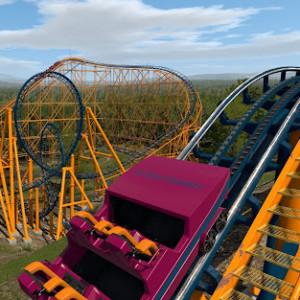
Thank you :)
How do I extract the stuff. I just got the game.
NVM But Getting confused with station launch setup

Ijjywijjy12 posted on August 24th, 2026
How do I extract the stuff. I just got the game.
Download the PKG file. Open this file with your Editor and then choose Extract Package.
Copy the content of the Extracted into your own park.
How I fix this?
https://drive.google.com/file/d/1vywYoJXuSVOpd8FGYgdig8IaYUZkXV9U/view?usp=sharing
It refuses to return to station.
Also if it helps roll-back doesn't work and I use a transport system to help with the launch since it reaches 110 km/h without the transports but it needs 129 km/h
Ijjywijjy12 posted on August 25th, 2026
How I fix this?
https://drive.google.com/file/d/1vywYoJXuSVOpd8FGYgdig8IaYUZkXV9U/view?usp=sharing
It refuses to return to station.
Since I read that you are new to the game I start with some basic info: First of all the "launch from station" version is just usable when the coaster is in scripted mode. So you have to achieve the remaining coaster control via writing a script yourself or use some other block logic kit like the 'Custom Block Logic Builder' from TheKadani (https://steamcommunity.com/sharedfiles/filedetails/?id=1552221913&searchtext=locig+block+builder).
If you have already done this:
What is the block state of the launch section and the station section shown in the F4 control panel when your train stops moving?
Also look at the demo park (https://steamcommunity.com/sharedfiles/filedetails/?id=3603300382) and/or the manual to make sure you set the coaster up as it has to be.
Cheers,
Systron
Ijjywijjy12 posted on August 25th, 2026
Also if it helps roll-back doesn't work and I use a transport system to help with the launch since it reaches 110 km/h without the transports but it needs 129 km/h
So normally you select the section which is the launch section. For this section you have to enable the launch option at the transport settings. Here you have to chose the launch acceleration. This launch acceleration has to be strong enough so that the train reaches your desired final launch speed BEFORE the catchcar reaches its roll out. The kit can not change the acceleration settings in-game. So increase this launch acceleration until you reach your desired launch speed you put inside the kit settings.
Another Idea: You can start the demo park (https://steamcommunity.com/sharedfiles/filedetails/?id=3603300382) and using the coaster which launches form the station to build the coaster you like and just deleting the other coasters. Then you have a coaster which works for sure and then you can build the coaster and surroundings as you like :)
Systron
Systron posted on August 25th, 2026
So normally you select the section which is the launch section. For this section you have to enable the launch option at the transport settings. Here you have to chose the launch acceleration. This launch acceleration has to be strong enough so that the train reaches your desired final launch speed BEFORE the catchcar reaches its roll out. The kit can not change the acceleration settings in-game. So increase this launch acceleration until you reach your desired launch speed you put inside the kit settings.
Another Idea: You can start the demo park (https://steamcommunity.com/sharedfiles/filedetails/?id=3603300382) and using the coaster which launches form the station to build the coaster you like and just deleting the other coasters. Then you have a coaster which works for sure and then you can build the coaster and surroundings as you like :)
Systron
With this I made it 252 km/h with 4.5Gs and it still wouldn't make it over. Also isn't the script logic built into the hydraulic system?
Ijjywijjy12 posted on August 25th, 2026
With this I made it 252 km/h with 4.5Gs and it still wouldn't make it over. Also isn't the script logic built into the hydraulic system?
So is the max speed set at the section and the kit settings correctly?
The script logic of the kit just controls the launch section and the station section. Anything else is not controlled by the kit since it can not know how the rest of the coaster block system is designed.
Ijjywijjy12 posted on August 25th, 2026
NVM Fixed
Very good :) The kit is a bit complicated especially for beginners. I admit xD
Uhh
Systron I need help help bro.
https://drive.google.com/file/d/1ocH8AeXg2cCzDPFQyQsFkrIq-Mr3LI-l/view?usp=sharin
I know this isn't a Accel thing but you the only expert I know. It's a scripted system using the logic blocks and it isn't showing any errors
It's stuck and won't move meaning my "Brake Run 2" Locks you down
It will operate up to 6 trains and has 20 Inversions.
Ijjywijjy12 posted on August 25th, 2026
Uhh
Systron I need help help bro.
https://drive.google.com/file/d/1ocH8AeXg2cCzDPFQyQsFkrIq-Mr3LI-l/view?usp=sharin
Hehe,
Yeah, so I never used the the logic blocks much so I don't know what they can handle and what not. Without seeing the full layout and all sections or other further information I can not help here. My first question is why you have to use scripted mode for this coaster. If the coaster does nothing special it is not needed.
Secondly, we should use this post here for questions concerning the launch kit only. If you have questions / problems concerning the game for which you want fast response I highly recommend to join the NoLimits2 Discord server (https://discord.com/invite/GxYCdCa) and post your questions in the "Questions" channel.
Cheers,
Systron
Hello!
I'm very pleased to announce that after many months of work and continuous testing, that the
is now out for release!
The Accelerator Kit is a next generation recreation of Intamin's Hydraulic Launch Accelerator Coaster model.
The kit was originally created by TheCodeMaster and this new version has had it's code rewritten completely, its assets updated, revamped and lots of additions to make the kit more accurate and realistic based on installations around the world.
The new kit is much more flexible, has many more features and is fully customizable via the 'Scene Object Properties' - window and despite this is still easy to use. The kit also includes features such as fog effects or emergency stop recovery and real rollback behaviour including recovery. For this NO scripting is needed if the coaster control is achieved by other third party assets such as 'Custom Block Logic Builder' from TheKadani.
The project originally started off as an extensive refurbishment of the 'Top Thrill Dragster' park using scripts and objects from Systron's 'QueendaKa' park but after a lot of updating it was decided that the project could be expanded into what it is today in a refined and streamlined Hydraulic launch system kit able to be retrofitted onto pre existing Accelerator coasters or easily installed onto new coasters and with a plethora of customizable settings, there are no limits!
All Features
Fully animated 3D-model including pulley and cables animations.
Two launch style variations: Launch zone style (Eg. Top Thrill Dragster, Kingda Ka) and station launch style (Eg. Xcelerator, Stealth, Desert Race).
Fully automated emergency stop recovery.
Fully automated random rollbacks and recovery.
Customizable colours for the catchcar, supports and track-pieces including two colour patterns and separate track strip colours.
Customizable launch sequence with adjustable waiting times and sound effects which are triggered at various states of the launch sequence.
Different changeable modes of brake-fins movements during the launch sequence.
Realistic catchcar behaviour and a catchcar camera which follows the catchcar. The behaviour the catchcar is also fully customizable.
Realistic sound design and a sound library with sounds from real world coasters from which the user can choose freely. Set the sound of the catchcar-hook drop as well as the sound for the raising and lowering of the brake-fins as you like.
Customizable fog animations at the pulleys.
Auto placing of supports including footers taking the terrain height into account.
Additional ride control panels to force the coaster into a rollback and to test the brake-fins and the catchcar movement.
Additional customizable catwalks including catwalk lamps. All auto placed by the script.
Automated check of weather limits before each launch.
NO scripting is needed! To enable all features the coaster has to be in scripting-mode but this can be achieved by using third party assets such as 'Custom Block Logic Builder' from TheKadani. The 'Accelerator Kit' should be compatible with many other block script generator since it uses the same logic and states as 'BLockHelper.nlvm'.
It is possible to include the 'Accelerator Kit' easy into your own coaster control scripts as well.
Installation
To install the 'Accelerator Kit' you have to unpack the NL2PKG-file of the downloaded park. In the extracted park folder you will find the two folders 'NextGenerationHydraulicLaunchKit_Track' or 'NextGenerationHydraulicLaunchKit_Station'. The first folder includes the version for which the train is launched from a 'launch zone' on the track (Eg. Top Thrill Dragster, Kingda Ka) and the second folder includes the version for which the train is launched directly out of the station (Eg. Xcelerator, Stealth, Desert Race). Choose the folder you need for your project and copy the complete folder into the base folder of your personal park. In the next step you simply have to place the NL2SCO-file you find inside the kit-folder inside your park. Then you can set up the 'Accelerator Kit' using 'Scene Object Properties' - window and following the manual.
Links:
Google Drive: https://drive.google.com/drive/folders/1qo9pAbkW-jpRqsSTyj5ARGNFLtK4k0Er
Steam Workshop: https://steamcommunity.com/sharedfiles/filedetails/?id=3603300382
For any and all questions and queries, please refer to the 'Accelerator Kit' Installation and Operations manual which give the full rundown on all features and settings include as well as any FAQs, troubleshooting and configurations.
Credits:
This kit was developed by:
IntaAccelerator - 3D Modeler
Systron - Scripting
LiftHillsAndLaunches - Testing, Photo References and Sounds.
TheCodeMaster - Original Kit Assests
TheKaDani - Custom Block Logic Builder
RedThirten - Control Panels
Disclaimer:
The Accelerator Kit is not an official Intamin product merely a non profit recreation designed for NoLimits 2, created out of our love and admiration for the coaster model.
Originally based off of the Accelerator Coaster model and TheCodeMasters original 'Hydraulic Launch Kit'
All modifications and changes must still include credit of original developers and any reuploads of the kit must include enough changes and updates to warrant such.
Ride Vehicles shown in promotional material are NOT included in the kit and are used for cinematic purposes only.