

Coaster is ignoring blocks
you may have a trim brake somewhere in your layout that is acting as a block brake? if you do have a trim make sure in the brake segment settings that you have trim selected and not block
intim305 posted on December 15th, 2020
you may have a trim brake somewhere in your layout that is acting as a block brake? if you do have a trim make sure in the brake segment settings that you have trim selected and not block
i look at his and he doesnt have a trim brake on the tracks

The lift hill automatically stops before the train reaches the top if the block ahead is occupied. If the lift hill keeps going without stopping, it means that the ride knows that the next block is clear, whatever that is. As that train cycles around the track, it inevitably must pass through the block border, which should trigger a warning about multiple trains on the same block. This is what keeps the brakes closed, which then causes the collision.
How to find the issue? Well, you can see where the first train is when the occupied block warning happens. Or in the editor, you can change the comb view to show the blocks. Color coded sections will show you where all of your blocks start and end. If you have things set properly, it will show the same color from the end of the lift segments all the way to the end of the initial brake. If not, where the color changes is your extra block that allows the train to pass over the lift, but doesn't stop the train, which causes the problem.
-Ride_Op
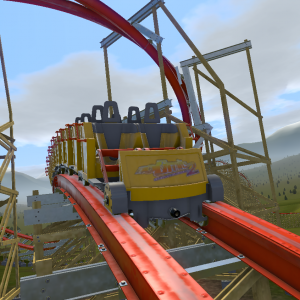
Also, for the final brake, make it activate later on the the train so it doesn't stop when it is half way off the brake run. Btw, I have a coaster with the exact same block set up ("Stargazer") if you want to check what settings I did for it.
Ride_Op posted on December 15th, 2020
The lift hill automatically stops before the train reaches the top if the block ahead is occupied. If the lift hill keeps going without stopping, it means that the ride knows that the next block is clear, whatever that is. As that train cycles around the track, it inevitably must pass through the block border, which should trigger a warning about multiple trains on the same block. This is what keeps the brakes closed, which then causes the collision.
How to find the issue? Well, you can see where the first train is when the occupied block warning happens. Or in the editor, you can change the comb view to show the blocks. Color coded sections will show you where all of your blocks start and end. If you have things set properly, it will show the same color from the end of the lift segments all the way to the end of the initial brake. If not, where the color changes is your extra block that allows the train to pass over the lift, but doesn't stop the train, which causes the problem.
-Ride_Op
The warning about multiple trains on a block is triggered right as the 2nd train leaves the lift, as the 1st train has not yet reached the initial brake. The lift is not acting as a block. There is one single block from the end of the lift through the end of the initial brake
You'll need to post some pictures showing the full layout with block borders showing to figure out the issue.
-Ride_Op


I know this isn't relevant to the question being asked but that's a really neat layout

Make sure the brakes are set to block brakes and are able to fully slow/stop the train. For instance the final brake run, make sure it doesn't allow the coaster to glide through it. You can fix this by setting a higher deceleration value and also messing with the max speed settings. See if that helps?

How fast is your lift? The train might be overshooting it if it doesn't have enough time to slow down.
Two tests:
-
Press e-stop after the first train leaves the lift. Does it stop on the initial brake? If not, you need to increase the brake force.
-
Using Manual Block mode, leave a train on the initial brake. Dispatch a train and have the lift run. Does the lift hill try to shut down when the train nears the top? It should. But if the train does not slow down enough and still goes over the top, then increase the deceleration force on the lift hill.
Also may help to post the track and let others look.
-Ride_Op
I ran both tests. When triggering an e-stop the train stops on the brake as it should. I then switched to manual and discovered a few issues. Firstly, the lift is too fast for the train to stop. After seeing this I moved the train from the initial brake to the final brake. Once the first train reached the initial brake, the brakes did not activate. I fixed these issues by slowing the lift, and adjusting where the brakes activate. The coaster now works as intended. Thank you for the help!
Great! It is recommended to have the trigger point for most block brakes to be at the start of the segment so the train will immediately begin slowing when reaching the brake, with the brakes closed when they get there.
-Ride_Op
I have a coaster that I just made that has a fairly simple block system. An image can be found below. There is a station, a lift, an initial final brake, and a final brake. This is the same setup as rides like Candymonium. For some reason, a train drops off of the lift hill while another train is passing on the initial brake. The train on the initial brake stops immediately upon reaching the final brake, halfway on and halfway off. The next train then blows right through the initial brake and slams into the stuck train.
Image of layout (couldn't get imbed to work)
As far as settings go, I have the mack launch coaster selected with closed-circuit operation mode.
Any help with what is causing this would be greatly appreciated.